Admin
Admin
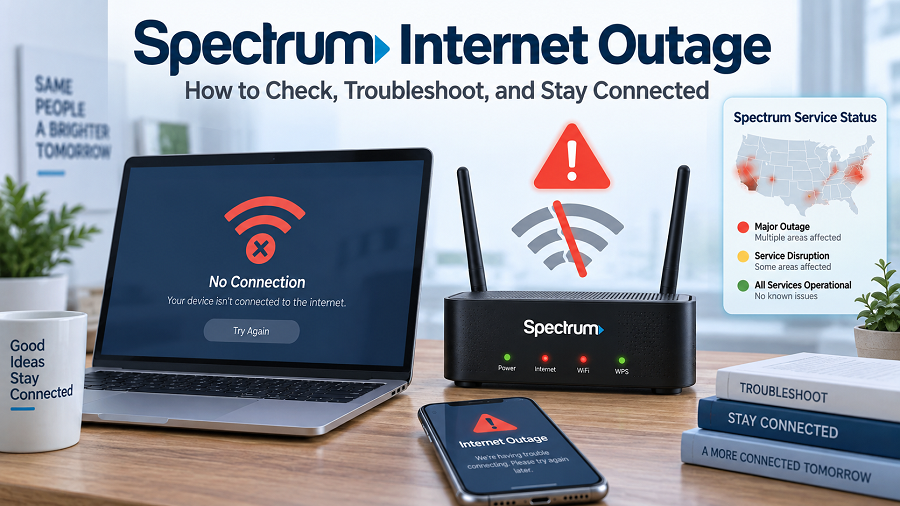
A reliable internet connection has become essential for work, education, entertainment, online payments, and communication. When your Spectrum internet suddenly stops working, even a short outage can interrupt important activities.
A Spectrum internet outage usually means that Spectrum’s network service is temporarily unavailable in your area. Sometimes the problem affects many customers due to network maintenance, equipment failures, weather conditions, or other technical issues. In other cases, the problem may only occur inside your home due to router, modem, or WiFi issues.
Spectrum provides internet outage information through its support channels, where customers can check whether their location is affected.
This guide explains what causes Spectrum outages, how to check the current status, and what troubleshooting steps can help restore your connection.
What Is a Spectrum Internet Outage?
A Spectrum internet outage occurs when customers cannot access internet services due to a disruption in the Spectrum network.
The outage may affect:
- Home WiFi connections
- Wired internet connections
- Streaming services
- Online gaming
- Video calls
- Business internet services
An outage does not always mean Spectrum’s entire network is down. Internet providers operate large networks divided into different regions. A problem in one area may affect only specific cities, neighborhoods, or customers.
Spectrum customers can check outage information using Spectrum’s official support tools and outage-checking options.
Common Causes of Spectrum Internet Outages
There are several reasons why Spectrum Internet may stop working.
Network Equipment Problems
Internet providers use thousands of network devices, including:
- Routers
- Fiber equipment
- Cable infrastructure
- Distribution systems
- Data center equipment
If a critical device fails, customers in the affected area may experience slow speeds or complete internet loss.
Severe Weather Conditions
Weather can damage internet infrastructure.
Common weather-related causes include:
- Heavy storms
- Flooding
- Strong winds
- Lightning damage
- Extreme temperatures
Physical damage to cables or local network equipment can cause service interruptions.
Scheduled Maintenance
Sometimes, internet providers perform planned maintenance to improve network performance.
During maintenance, customers may notice:
- Temporary disconnections
- Reduced speeds
- Short service interruptions
Maintenance is usually completed during periods of low usage to reduce disruption.
Local Equipment Failure
Sometimes the problem is not with Spectrum’s main network.
A local issue can happen because of:
- Damaged cables
- Neighborhood equipment failure
- Power problems
- Construction-related damage
These issues may affect only a small area.
Home Router or Modem Problems
Many users assume there is a Spectrum outage when the actual problem is inside their home.
Possible causes include:
- Router overheating
- Loose cable connections
- Old modem firmware
- WiFi interference
- Incorrect settings
Before reporting an outage, it is worth checking your own equipment.
How to Check If Spectrum Internet Is Down
Before troubleshooting your devices, confirm whether Spectrum is experiencing an outage.
Check Spectrum Official Support
The most reliable method is checking Spectrum’s own outage tools.
Customers can:
Open Spectrum support
Sign in to their account.
Check service status
Review outage information for their location
Spectrum’s support pages provide outage troubleshooting guidance and allow customers to check which services are affected.
Check Online Outage Reports
Third-party outage-tracking websites collect user reports and display potential service issues.
These tools can help identify whether other customers are reporting similar issues, but they should not replace official Spectrum information.
Ask Neighbors
If multiple people nearby are experiencing the same problem, the issue may be a local Spectrum outage.
Ask:
- Are other Spectrum users offline?
- Is WiFi unavailable for everyone?
- Did the problem start at the same time?
Signs That Spectrum Internet Is Experiencing an Outage
Common outage symptoms include:
| No internet connection | Possible outage or modem issue |
| Modem online light blinking | Connection problem |
| Multiple devices disconnected | Network issue |
| Slow speed everywhere | Possible service problem |
| Internet works occasionally | Network instability |
Spectrum Internet Outage vs WiFi Problem
Many users confuse internet outages with WiFi problems.
They are different.
| Provider network issue | Home equipment issue |
| Many customers affected | Usually one household |
| Spectrum must fix it | User can often fix it |
| May require waiting | Restart may solve it |
For example:
If your phone, laptop, smart TV, and gaming console all lose internet at the same time, the issue may be your modem or Spectrum service.
If only one device cannot connect, the problem is likely device-related.
How to Fix Spectrum Internet Problems
If there is no confirmed Spectrum outage, try these solutions.
Restart Your Modem and Router
This is the simplest solution.
Steps:
Turn off your modem
Turn off your router.
Wait about 60 seconds.
Turn the modem back on.
Wait until the lights stabilize.
Restart your router
A restart can clear temporary connection problems.
Check Cable Connections
Make sure:
- The power cable is connected.
- Ethernet cables are secure.
- The coaxial cable is properly attached.
- No cables are damaged.
Loose cables are a common reason for internet problems.
Test Multiple Devices
Check your connection using:
- Smartphone
- Laptop
- Smart TV
- Gaming console
If every device fails, the issue is likely with the network connection.
Move Closer to the Router
Poor WiFi coverage can appear like an outage.
Try:
- Moving closer to the router
- Removing obstacles
- Changing router location
Walls, furniture, and electronic devices can reduce WiFi performance.
Run an Internet Speed Test
A speed test can show whether your connection is slower than expected.
Check:
- Download speed
- Upload speed
- Ping rate
- Connection stability
Slow speeds do not always mean an outage. They may indicate congestion, equipment problems, or WiFi interference.
How Long Does a Spectrum Internet Outage Last?
The duration depends on the cause.
Examples:
| Minor equipment issue | Short period |
| Maintenance | Scheduled timeframe |
| Weather damage | Longer repair time |
| Major network failure | Depends on complexity |
Spectrum usually works to restore service as quickly as possible, but repair times vary depending on location and problem severity.
What To Do During a Spectrum Outage
While waiting for service restoration:
Use Mobile Hotspot
A smartphone hotspot can provide temporary internet access for:
- Emails
- Work tasks
- Messaging
- Emergency browsing
Download Important Files Offline
If you regularly work online, keep:
- Documents saved locally
- Important contacts available
- Backup communication options
Avoid Repeated Router Resets
Constantly restarting equipment will not fix a provider-side outage.
Once you confirm an outage, waiting for restoration is usually the best option.
Spectrum Internet Outage for Businesses

Businesses may experience bigger impacts during internet disruptions.
A Spectrum outage can affect:
- Payment systems
- Cloud applications
- Customer communication
- Online sales
- Remote employees
Businesses should consider:
- Backup internet connections
- Mobile hotspots
- Secondary providers
- Offline operating procedures
How To Prevent Future Internet Problems
While you cannot prevent provider outages, you can improve reliability.
Use a Quality Router
A modern router can provide:
- Better coverage
- Improved speed
- More stable connections
Keep Equipment Updated
Update:
- Router firmware
- Connected devices
- Network settings
Have a Backup Connection
For important work, consider:
- Mobile internet backup
- Secondary ISP
- Portable hotspot device
Frequently Asked Questions (FAQs)
Is Spectrum internet down right now?
Spectrum outages depend on your location. Check Spectrum’s official support tools or outage checker for the most accurate information.
Why is my Spectrum WiFi not working?
Your Spectrum WiFi may not work due to an outage, router issues, cable problems, device settings, or a weak wireless signal.
How do I restart my Spectrum modem?
Turn off the modem and router, wait about 1 minute, then restart the modem first, followed by the router.
Can a Spectrum outage affect only one neighborhood?
Yes. Internet networks are divided into regions, so problems may affect specific locations rather than all customers.
How can I report a Spectrum internet outage?
You can report problems through Spectrum customer support and check service status through official Spectrum channels.