Table of Contents
- Why Carousel Posts?
- Capturing Attention
- Storytelling Power
- Showcasing Products
- Setting Up Meta Business Suite
- Accessing Your Account
- Navigating The Dashboard
- Creating Your Carousel
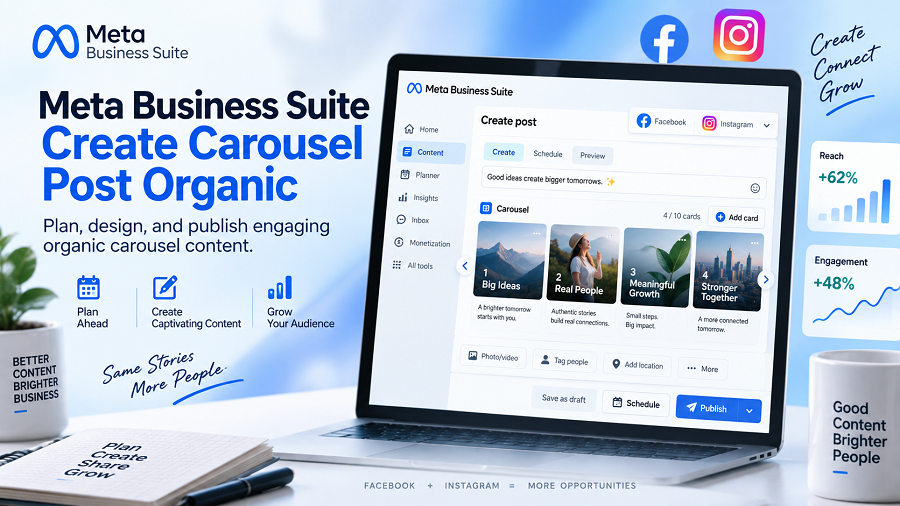
- Choosing 'create Post'
- Selecting 'carousel'
- Adding Cards
- Uploading Media
- Writing Card Descriptions
- Linking Cards
- Crafting Compelling Content
- Visual Appeal
- Concise Copy
- Clear Call To Action
- Optimizing For Reach
- Target Audience
- Relevant Hashtags
- Best Posting Times
- Engagement Metrics
- Link Clicks
- Audience Insights
- Frequently Asked Questions
- What Is Meta Business Suite Carousel Post?
- How To Create A Carousel Post Organically?
- Can I Use Videos In Carousel Posts?
- How Many Cards Can A Carousel Have?
- Conclusion
Want to make your Facebook and Instagram posts pop without spending a dime? Carousel posts are a fantastic way to tell a story, showcase multiple products, or share a step-by-step guide.
But how do you create these engaging posts organically using Meta Business Suite? You’re in the right place. Keep reading, and you’ll discover the simple, step-by-step process to craft eye-catching carousel posts that grab attention and drive results for your business.
Let’s get started!
Why Carousel Posts?
Carousel posts grab attention. Meta Business Suite helps you create them easily. Share more content organically.
Carousel posts are powerful tools. Meta Business Suite makes them easy. They grab attention. They tell a story. They show off your items. You should use them.
Capturing Attention
People scroll fast. Static posts get missed. Carousel posts stop the scroll. They offer more to see. Each card is a new hook. This keeps eyes on your content. Visual variety is key.
Storytelling Power
A single image is limited. Carousels let you build a narrative. You can guide your audience. Show a problem. Then show the solution. Detail steps in a process. Tell a brand’s journey. Make your message memorable.
Showcasing Products
One product photo is not enough. Show different angles. Highlight key features. Display variations. Demonstrate usage. Let customers see everything. This builds desire. It encourages clicks. It drives sales.
Setting Up Meta Business Suite
Create engaging carousel posts for free. Meta Business Suite makes it simple. Share multiple images or videos easily. Boost your organic reach today.
Setting up Meta Business Suite is simple. It helps manage your Facebook and Instagram. You can create posts easily. This tool is essential for businesses.
Accessing Your Account
First, go to the Meta Business Suite website. You need your Facebook login. Enter your email and password. Click the “Log In” button. Your account is now accessible.
Navigating The Dashboard
The dashboard is your main hub. You see all your business tools. A left-hand menu offers options. Look for “Create Post.” This is where your work begins. You can see notifications here. Your inbox is also on the left. Manage your pages and accounts. It is a central place.
Creating Your Carousel
Meta Business Suite helps you make carousels. Showcase multiple images or videos. It’s a great way to tell a story.
Ready to build your engaging carousel post? Meta Business Suite makes it simple. You can tell a story visually. You can showcase multiple products. This format grabs attention. It keeps users scrolling. Let’s dive in.
Choosing ‘create Post’
First, find the ‘Create Post’ button. It is usually at the top. Click it to begin.
Selecting ‘carousel’
A menu will appear. Look for the ‘Carousel’ option. Select it. This opens the carousel builder.
Adding Cards
Your carousel needs cards. Each card is a separate slide. Click ‘Add Card’ to start. You can add many cards.
Uploading Media
Now, add your visuals. Upload photos or videos. Choose high-quality images. Make them bright and clear.
Writing Card Descriptions
Each card needs text. Write a short description. Keep it simple and direct. Tell people what they see. Use few words.
Linking Cards
Want to send users somewhere? Add a link to each card. This is important. It directs traffic. Make the link relevant.
Crafting Compelling Content
Crafting compelling content is key. Your Meta Business Suite carousel post needs to grab attention. It must also keep people engaged. Every element matters. Think about your audience. What will resonate with them? Make your post stand out. This section helps you do that.
Visual Appeal
Use strong images. They should be high quality. Each image tells a story. Make them bright and clear. They should match your brand. Good visuals stop scrolling. They draw eyes to your post.
Concise Copy
Words must be brief. Get straight to the point. Use simple language. Avoid jargon. Each sentence is short. Make it easy to read. Highlight key benefits. What problem do you solve? What value do you offer? Keep it focused.
Clear Call To Action
Tell people what to do. Be very direct. Use action verbs. “Shop now.” “Learn more.” “Sign up today.” Make it obvious. Guide your audience. What is the next step? Make it simple.
Optimizing For Reach
Optimizing for reach is key. You want your Meta Business Suite carousel posts to be seen. This means making smart choices. It helps more people see your content. Reach drives engagement. It leads to more clicks. More followers too. Let’s make your carousel posts work harder.
Target Audience
Know who you are talking to. Who are your ideal customers? What do they like? What are their interests? Meta Business Suite lets you define this. Your carousel content should appeal to them. Speak their language. Show them what they want.
Relevant Hashtags
Hashtags help people find you. Use words related to your post. Think about what people search for. Keep hashtags specific. Do not use too many. A few good ones are better. They increase visibility. Your carousel gains more views.
Best Posting Times
When are your followers online? Post when they are active. This boosts immediate engagement. Meta Business Suite shows insights. Use this data. Schedule posts for peak times. Your carousel reaches more eyes. It gets noticed faster.
Measuring Success
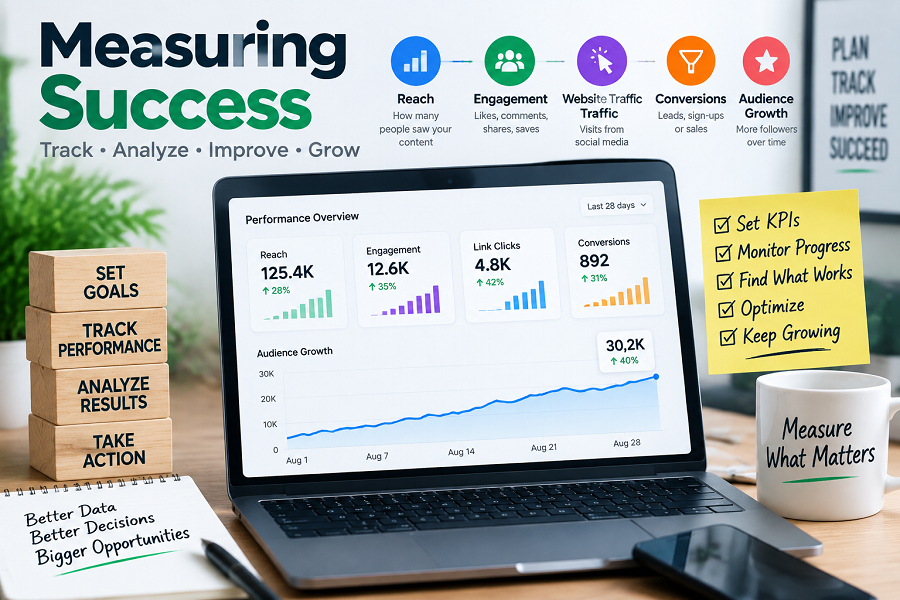
Measuring success is key. It shows what works. Meta Business Suite helps track results. Understand your carousel post’s impact. This data guides future efforts.
Engagement Metrics
See how many people interact. Likes are a good start. Comments show deeper interest. Shares spread your message. These numbers tell a story. They show audience connection.
Link Clicks
Did people click your links? This is very important. Clicks mean action. They show interest in your offer. Track clicks closely. This tells you about conversions.
Audience Insights
Who is seeing your post? Learn about their age. See their location. Understand their interests. This helps you target better. It makes your posts more relevant. Know your audience well.
Frequently Asked Questions
What Is Meta Business Suite Carousel Post?
A carousel post lets you showcase multiple images or videos in one Facebook or Instagram post. Users can swipe through them. It’s a great way to tell a story or highlight products.
How To Create A Carousel Post Organically?
Navigate to Meta Business Suite. Choose to create a post. Select the carousel option. Upload your images or videos. Write your caption and publish.
Can I Use Videos In Carousel Posts?
Yes, you can absolutely use videos. Meta Business Suite allows you to mix images and videos. This makes your carousel posts more dynamic and engaging for your audience.
How Many Cards Can A Carousel Have?
You can include up to 10 cards in a single carousel post. This gives you plenty of space. Use each card to tell a part of your story or showcase different items.
Conclusion
Create engaging carousel posts. Meta Business Suite makes it simple. Showcase your best products. Tell your brand story visually. Reach more customers organically. Experiment with different images. Test your carousel content. See what your audience likes. Boost your Facebook and Instagram presence.
Start creating yours today.

admin
Writer at UpdateArticle, covering technology, software and the tools shaping how we work online.