Table of Contents
- Claim Your Digital Storefront
- Claiming Your Profile Is Free
- Verify Your Business Identity
- Complete All Profile Sections
- Add Accurate Business Hours
- Upload High-quality Photos
- Perfect Your Profile Details
- Accurate Business Name
- Precise Category Selection
- Compelling Business Description
- Contact Information Essentials
- Visual Appeal Matters
- High-quality Photos
- Engaging Videos
- Logo And Branding
- Harnessing The Power Of Reviews
- Encouraging Customer Reviews
- Responding To Feedback
- Managing Negative Reviews
- Posts For Engagement
- Types Of Google Posts
- Content Ideas For Posts
- Frequency And Timing
- Products And Services Showcase
- Highlight Your Best Products
- Detail Your Core Services
- Use High-quality Images
- Write Compelling Descriptions
- Q&a: Your Customer's Guide
- Proactively Answer Questions
- Monitor And Respond
- Website Integration
- Local Citations
- Keyword Strategy
- Measure Your Success
- Key Performance Indicators
- Using Insights And Analytics
- Frequently Asked Questions
- What Is Google Business Profile Optimization?
- Why Optimize My Google Business Profile?
- How Often Should I Update My Gbp?
- What's The Most Important Gbp Element?
- Conclusion
Is your business getting found online? If not, your Google Business Profile might be the missing piece of the puzzle.
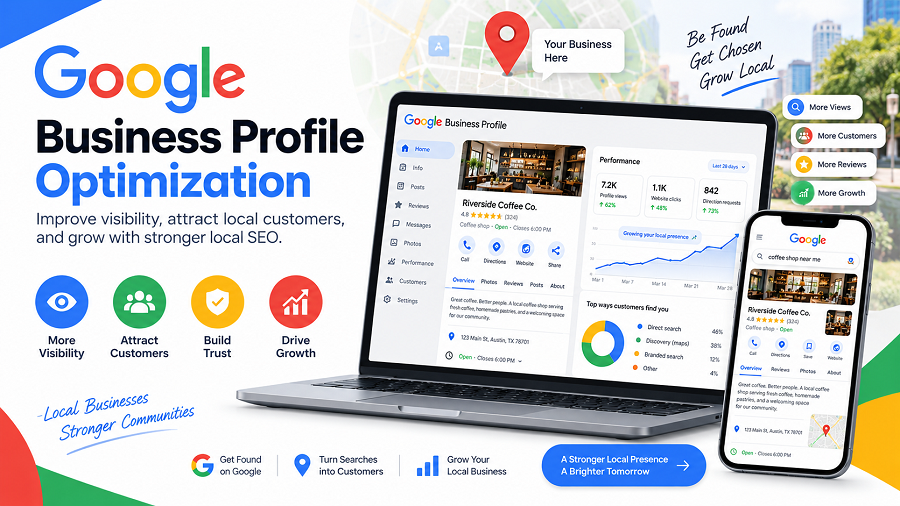
Think of it as your digital storefront on Google Search and Maps. When customers are looking for products or services like yours, a well-optimized profile can make all the difference. You want them to see you first, right? This guide will show you exactly how to make your Google Business Profile shine, attracting more customers and boosting your local visibility.
Let’s dive in and make sure your business stands out!
Claim Your Digital Storefront
Your Google Business Profile is your digital storefront. It’s the first impression many customers get. Claiming it is a vital first step. This profile acts like your business’s online address. It helps people find you easily. Make sure it’s yours to control.
Claiming Your Profile Is Free
Google offers this service at no cost. You do not pay for a listing. It is a powerful tool for any business. Secure your business name. Prevent others from claiming it.
Verify Your Business Identity
Google needs to confirm you are real. Verification ensures legitimacy. This usually involves a postcard. The postcard has a code. You enter this code online. It proves you own the location.
Complete All Profile Sections
A full profile looks professional. Fill in every available field. Include your business name. Add your correct address. List your phone number clearly. Mention your website too.
Add Accurate Business Hours
Customers need to know when you are open. List your operating hours precisely. Update them for holidays. Keep this information current. Incorrect hours frustrate people.
Upload High-quality Photos
Showcase your business with images. Use clear, appealing pictures. Photos of your products help. Images of your storefront are good. Pictures of your team work too. Visuals attract more attention.
Perfect Your Profile Details
Perfecting your Google Business Profile details is crucial. It helps customers find you. It also tells them important information. This section guides you through key areas. We ensure your profile shines brightly.
Accurate Business Name
Use your exact business name. This is what customers know. Avoid adding extra words. Do not include location details here. Keep it simple. Keep it clear.
Precise Category Selection
Choose the best category. This tells Google what you do. Select the primary category carefully. Add secondary categories too. This broadens your reach. More people can find you.
Compelling Business Description
Write a strong description. Highlight your unique services. Use keywords customers search for. Keep it concise. Make it informative. Tell your story. Entice new customers.
Contact Information Essentials
Your phone number must be correct. Your website link needs to work. Include your physical address. This is vital for local search. Ensure all details are current. Make it easy for them. Easy to connect. Easy to visit.
Visual Appeal Matters
Your Google Business Profile needs to look good. Visual appeal grabs attention. It makes your business stand out. Customers decide quickly. Great visuals lead to clicks. They encourage visits.
High-quality Photos
Show off your business. Use clear, bright photos. Upload pictures of your products. Share images of your services. Show your location’s best features. Good photos attract more people. They tell your story visually.
Engaging Videos
Videos bring your business to life. Create short, interesting videos. Show a day in your business. Highlight customer testimonials. Demonstrate your products in action. Videos keep viewers watching longer. They create a strong connection.
Logo And Branding
Your logo is your business identity. Use a clear, professional logo. Ensure your branding is consistent. Colors and fonts matter. Consistent branding builds trust. It makes your profile memorable. Keep it sharp and recognizable.
Harnessing The Power Of Reviews
Reviews are gold. They tell your story. They build trust. Google Business Profile reviews matter. They boost your local search ranking. They influence customer decisions. Harnessing this power is key. It brings more customers to your door.
Encouraging Customer Reviews
Ask happy customers for reviews. Make it easy for them. A simple QR code helps. A direct link works too. Train your staff to ask. Mention it on receipts. A polite request goes far. Positive reviews are vital.
Responding To Feedback
Read every review. Thank customers for feedback. Respond promptly to all. Show you care about their views. Acknowledge their experience. Keep responses professional. Personalize each reply. This builds rapport.
Managing Negative Reviews
Negative reviews happen. Do not ignore them. Respond calmly and politely. Apologize if there was a mistake. Offer a solution. Take the conversation offline. Learn from the feedback. Improve your service. Turn a negative into a positive.
Posts For Engagement
Google Business Profile posts are powerful. They help you connect with customers. These posts appear directly in search results. They boost visibility. Use them to share important updates. Engage your local audience. Make your business stand out. It’s a direct line to potential customers.
Types Of Google Posts
Google offers several post types. Use “What’s New” for general updates. Share product highlights with “Offer” posts. Promote events using “Event” posts. Announce new items with “Product” posts. Each type serves a specific purpose. Choose wisely for your message.
Content Ideas For Posts
Share daily specials. Post about upcoming sales. Introduce new team members. Highlight customer testimonials. Showcase your best work. Ask engaging questions. Run simple polls. Share behind-the-scenes glimpses. Announce holiday hours. Keep it fresh. Keep it relevant. Keep it interesting.
Frequency And Timing
Post regularly. Aim for at least once a week. More frequent posts get noticed. Consider posting two to three times weekly. Post when your customers are online. Analyze your insights. See when your audience is active. Consistency is key. Timing matters for engagement.
Products And Services Showcase
Your Google Business Profile is a digital storefront. The ‘Products and Services Showcase’ is key. It tells customers what you offer. Make it shine. This section helps customers find you. It boosts your visibility. It drives engagement.
Highlight Your Best Products
List your top items. Use clear, simple names. Add good photos. Show what makes them special. Customers want to see options. Make it easy for them. They can browse your offerings. They can make quick decisions. This section is powerful.
Detail Your Core Services
Explain what you do. Describe your services clearly. Use short, descriptive phrases. What problems do you solve? How do you help customers? Focus on benefits. Customers look for solutions. They need to understand your value. Be direct and honest. This builds trust.
Use High-quality Images
Pictures are very important. Use clear, bright photos. Show your products well. Show your services in action. Good images attract attention. They make your listing pop. Customers are visual learners. They connect with good visuals. Make them count.
Write Compelling Descriptions
Words matter a lot. Write short, punchy descriptions. Use simple vocabulary. Explain what you offer. Focus on customer needs. What do they want to know? Answer their questions. Make it easy to read. This section informs potential clients. It convinces them to choose you.
Q&a: Your Customer’s Guide
Your Google Business Profile (GBP) has a special Q&A section. Think of it as a direct line to your customers. It answers their common questions. This section helps them learn about your business. It builds trust. It shows you care. Use it well. It is a powerful tool. It boosts your visibility.
Proactively Answer Questions
Do not wait for customers to ask. Anticipate their needs. What do people often ask? Add these questions yourself. Then, provide clear answers. This saves everyone time. It shows your expertise. It guides potential clients. Make your profile helpful. Be the first to answer.
Monitor And Respond
Customers will ask questions. They will also answer them. Watch this section closely. Respond quickly to all queries. Thank them for asking. Provide accurate information. Keep answers concise. Use simple words. This interaction is key. It shows you are engaged. It improves your local SEO. Make every response count.
Local Seo Synerg
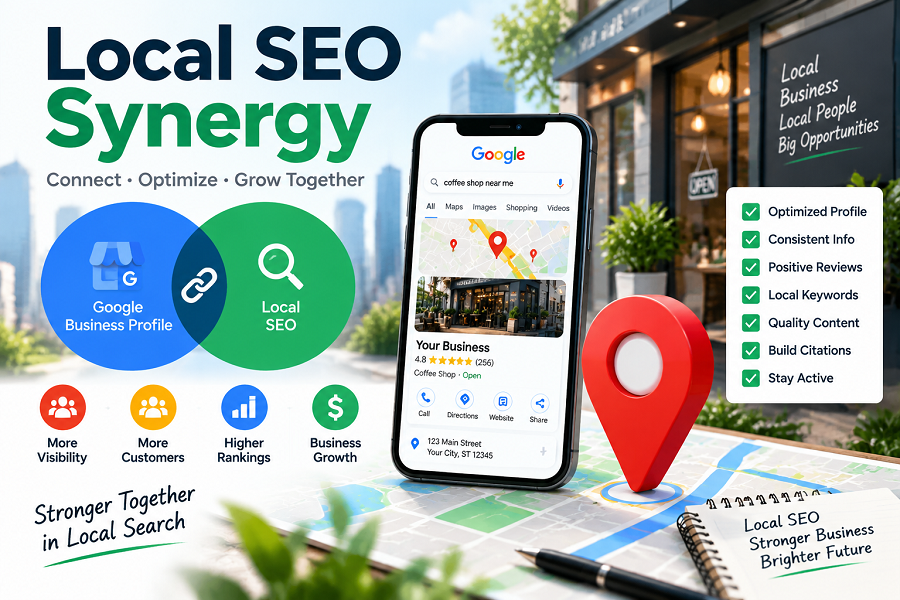
Google Business Profile (GBP) optimization works best with other local SEO efforts. This creates a powerful synergy. Your GBP listing does not exist in a vacuum. It connects to your online presence. This connection boosts your local search ranking. It helps customers find you easily. Let’s explore how these elements work together.
Website Integration
Your website is a crucial part of local SEO. Make sure your GBP information matches your website. Your business name, address, and phone number must be identical. This consistency builds trust. Search engines see this accuracy. It signals a legitimate business. Include your GBP link on your website. A “Find Us” page is a good spot. Embed a Google Map. This shows your location clearly. Ensure your website is mobile-friendly. Many local searches happen on phones. A good mobile experience is vital.
Local Citations
Local citations are online mentions of your business. These appear on directories and other websites. Examples include Yelp and Yellow Pages. Consistent NAP (Name, Address, Phone) is key. Discrepancies hurt your ranking. Ensure your GBP listing is accurate everywhere. Clean up old or incorrect listings. This strengthens your local authority. More consistent citations mean better trust. Search engines trust consistent data. It shows your business is real.
Keyword Strategy
Keywords help people find you. Think about what customers search for. Use these terms in your GBP. Include them in your business description. Post updates using relevant keywords. Encourage reviews mentioning your services. These keywords also go on your website. They should be in your page titles. They should be in your content. Local keywords are important. “Plumber in [your city]” works well. Combine broad and specific terms. This attracts a wider audience. It also targets specific needs.
Measure Your Success
You worked hard on your Google Business Profile. Now, how do you know it is working? Measuring success is vital. It shows what is effective. It guides future improvements. You need data. Data tells the real story. It reveals your profile’s impact.
Key Performance Indicators
What numbers matter most? Track how customers find you. Look at profile views. See how many people visit your website. Count how many call you. Note directions requests. These are your key metrics. They show your profile’s reach. They indicate customer interest.
Using Insights And Analytics
Google Business Profile offers tools. Use the ‘Insights’ section. It shows search queries. See how users search for you. View your listing’s performance. Analytics show user behavior. Understand customer actions. Identify popular services. See peak activity times. This data is gold. Use it to refine your profile.
Frequently Asked Questions
What Is Google Business Profile Optimization?
Google Business Profile optimization involves enhancing your listing. This makes it more visible in local search results. It helps attract more customers to your business.
Why Optimize My Google Business Profile?
Optimizing your profile boosts local search ranking. It increases visibility and drives more foot traffic. It also builds trust and credibility with potential customers.
How Often Should I Update My Gbp?
Regular updates are key for engagement. Aim to update your profile weekly or bi-weekly. This keeps your information fresh and relevant for customers.
What’s The Most Important Gbp Element?
Accurate and complete business information is crucial. This includes your name, address, and phone number. Consistent NAP details build trust with Google.
Conclusion
Optimize your Google Business Profile. It drives local customers. Keep your information current. Encourage customer reviews. Respond to all feedback. This helps your visibility. More people will find you. It is a smart business move. Start optimizing today.

admin
Writer at UpdateArticle, covering technology, software and the tools shaping how we work online.