Admin
Admin
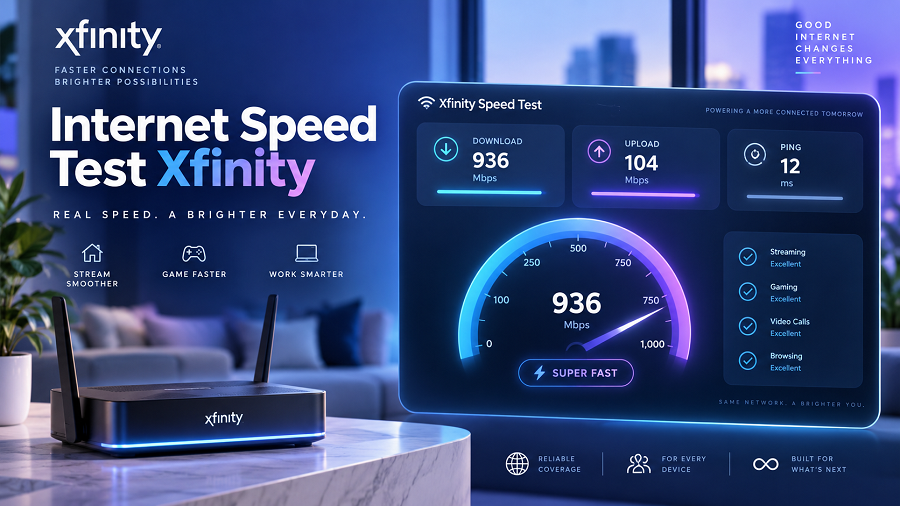
A reliable internet connection has become essential for online learning, remote work, video streaming, gaming, and everyday browsing. When websites load slowly or videos buffer frequently, many users want to know one thing: Is my internet actually delivering the speed I am paying for?
An Xfinity internet speed test helps users measure their current connection performance. It can show important details such as download speed, upload speed, latency, and how well a device connects to the network. Xfinity provides its own speed testing tools that allow users to check the speed reaching their devices and, for compatible equipment, test the connection coming into their home gateway.
This guide explains how Xfinity speed tests work, how to read the results, why speeds may differ from your plan, and what steps you can take to improve your internet experience.
What Is an Internet Speed Test Xfinity?
An internet speed test, Xfinity is a tool that measures the performance of an Xfinity internet connection. It checks how quickly data travels between your device and a testing server.
The test usually measures:
| Download Speed | How fast data comes from the internet to your device |
| Upload Speed | How fast data moves from your device to the internet |
| Latency (Ping) | The delay between your device and the server |
| Connection Quality | How stable your network performance is |
Xfinity’s speed test measures the speed reaching the device running the test. The result may differ from your subscribed plan speed because WiFi conditions, device capabilities, and network usage can affect performance.
Why Should You Run an Xfinity Speed Test?
Many internet problems are not obvious. Your connection may still work, but performance may be below expectations.
Running an Xfinity speed test can help you:
Check Your Actual Internet Performance
Your internet plan may advertise a specific speed, but the speed reaching your laptop, phone, or smart TV can be different.
Testing helps you understand your real-world connection.
For example:
- A video streaming issue may be caused by weak WiFi.
- Slow downloads may be caused by device limitations.
- Gaming problems may be related to high latency.
Troubleshoot Slow Internet Problems
A speed test can help identify whether the problem is:
- Your internet provider connection
- Router placement
- Too many connected devices
- Old hardware
- Weak WiFi coverage
- Device performance issues
Xfinity recommends checking factors such as WiFi distance, interference, device limitations, and network activity when results are lower than expected.
Verify Your Internet Plan
If your results consistently show much lower speeds than expected, you may need to:
- Check your equipment
- Restart your gateway
- Review your internet plan.
- Contact customer support
How to Perform an Internet Speed Test Xfinity
You can check your Xfinity internet speed using a browser or the Xfinity app.
Method 1: Using Xfinity Speed Test Online
Follow these steps:
Open a web browser.
Visit the Xfinity speed test page.
Select the option to start the test.
Wait while the system measures your connection.
Review your results.
The test provides information about the speed available to your device at that moment.
Using the Xfinity App
Xfinity customers with compatible gateways can use the Xfinity app for additional network testing features.
The app can help check:
- Speed reaching your gateway.
- Device connection strength
- Possible network problems
For supported devices, the app can perform whole-home network tests to help identify whether problems come from the internet connection or WiFi coverage.
Understanding Xfinity Speed Test Results
Many users see numbers after testing, but do not know what they mean.
Download Speed
Download speed measures how quickly information comes from the internet to your device.
Higher download speeds help with:
- Watching HD and 4K videos
- Downloading large files
- Using cloud services
- Multiple users streaming content
Upload Speed
Upload speed measures how quickly your device sends information online.
It affects:
- Video meetings
- Uploading photos and videos
- Cloud backups
- Live streaming
Ping or Latency
Latency measures response delay.
Lower latency is usually better for:
- Online gaming
- Video calls
- Real-time applications
A high ping value can cause delays even when download speeds appear good.
Why Is My Xfinity Speed Test Lower Than My Plan Speed?
A common question is:
“Why does my speed test not match my internet plan?”
This happens because your plan speed reflects the connection delivered to your home gateway, whereas a speed test usually measures the speed reaching a single device.
Several factors can reduce the speed you see:
WiFi Distance
The farther your device is from the router, the weaker the signal may become.
Walls, furniture, and floors can reduce WiFi performance.
Number of Connected Devices
Every connected device shares available bandwidth.
Examples:
- Smartphones
- Smart TVs
- Gaming consoles
- Security cameras
- Computers
Multiple active devices can reduce the available speed for each user.
Device Limitations
Older laptops, phones, or network cards may not support higher speeds.
Your internet connection may be fast, but your device may limit the result.
Router Location
Router placement strongly affects WiFi performance.
For better coverage:
- Place the router in a central location.
- Avoid enclosed spaces.
- Keep it away from electronic interference.
- Place it higher instead of on the floor.
Xfinity also recommends improving gateway placement and reducing interference to achieve better WiFi performance.
How to Get More Accurate Xfinity Speed Test Results
For a more reliable measurement, follow these tips:
Use an Ethernet Connection
A wired connection usually provides more accurate results because it avoids many of the limitations of WiFi.
Close Background Applications
Before testing:
- Stop downloads.
- Close streaming apps.
- Pause cloud backups.
- Disconnect unnecessary devices.
Test Near Your Router
If testing WiFi speed, stand close to your gateway or router.
This helps determine whether the problem is the internet service or the WiFi coverage.
Run Multiple Tests
Internet performance changes throughout the day.
Try testing:
- Morning
- Afternoon
- Evening
Compare the results rather than relying on a single measurement.
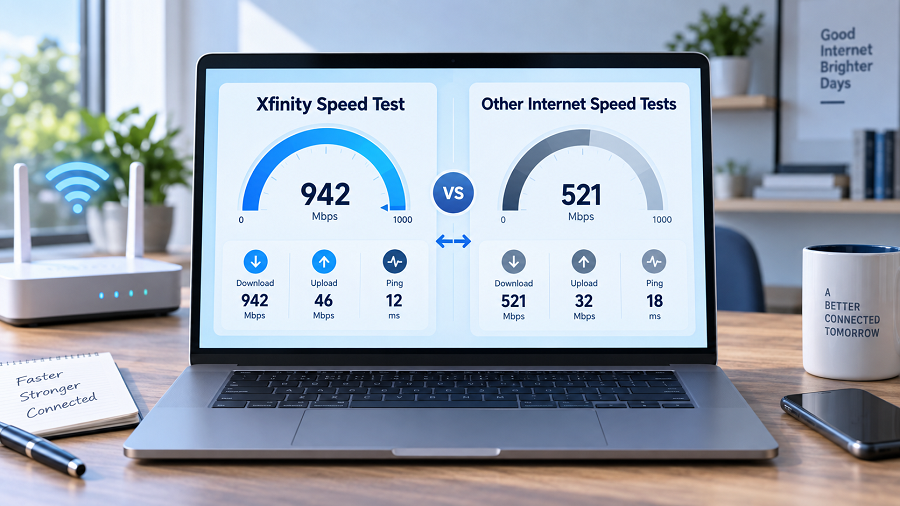
Xfinity Speed Test vs Other Internet Speed Tests
Many websites offer internet speed testing tools. However, different tests measure different parts of your connection.
| Measures device speed | Yes | Yes |
| Checks Xfinity network connection | Yes | Depends |
| Shows download speed | Yes | Yes |
| Shows upload speed | Yes | Yes |
| Helps troubleshoot Xfinity service | Better | Limited |
For Xfinity customers, using Xfinity’s own testing tools can provide more relevant information about their connection.
Common Reasons for Slow Xfinity Internet
Too Many Devices Connected
A busy home network can reduce available bandwidth.
Solution:
- Disconnect unused devices.
- Schedule heavy downloads during less busy hours.
Poor Router Placement
A router hidden behind furniture or placed far away can create weak signals.
Solution:
- Move the gateway to an open, central location.
Old Equipment
Older routers or gateways may not support newer speeds.
Solution:
- Check whether your equipment supports your current plan.
WiFi Interference
Other electronics and physical barriers can affect wireless signals.
Solution:
- Keep routers away from large appliances and crowded areas.
How Much Internet Speed Do You Need?
Your ideal speed depends on your online activities.
| Basic browsing | Low speed connection is usually enough |
| HD streaming | Moderate speed |
| Online gaming | Good speed with low latency |
| Remote work | Stable download and upload speed |
| Multiple users | Higher bandwidth |
The correct speed depends on the number of users, devices, and activities in your home.
Internet Speed Test Xfinity for Indian Users
Although Xfinity primarily serves customers in the United States, many Indian readers search for Xfinity speed-testing information to understand internet testing methods, broadband performance, and WiFi troubleshooting.
The same principles apply to Indian broadband users:
- Test your actual device speed.
- Compare wired and wireless performance.
- Check router placement.
- Monitor connected devices.
- Understand the difference between advertised speed and real usage.
Whether you use fiber broadband, cable internet, or wireless internet, speed testing helps identify performance issues.
Key Takeaways
- An Xfinity internet speed test measures your real connection performance.
- Download speed, upload speed, and latency are important indicators.
- Your device speed may differ from your internet plan speed.
- WiFi distance, router placement, and device limitations affect results.
- Ethernet testing usually provides more accurate measurements.
- Regular speed testing can help identify network problems early.
Frequently Asked Questions (FAQs)
What is an internet speed test Xfinity?
An internet speed test, Xfinity measures your connection performance by checking download speed, upload speed, and latency between your device and the testing server.
Why is my Xfinity speed test slower than my plan?
Your plan speed represents the connection delivered to your gateway, while the speed test measures what reaches your device. WiFi conditions, device hardware, and network usage can reduce results.
How can I improve my Xfinity internet speed?
You can improve performance by moving your router, reducing the number of connected devices, using an Ethernet connection, restarting equipment, and checking for interference.
Is the Xfinity speed test accurate?
The Xfinity speed test provides a useful measurement of your device’s connection at that moment. Results can vary depending on WiFi conditions and device capabilities.
Should I test internet speed using WiFi or Ethernet?
For the most accurate measurement of your internet service capability, Ethernet is usually better because it removes many wireless limitations.
How often should I check my internet speed?
You can test whenever you notice slow performance. Regular checks can help identify repeated connection issues.
Conclusion
An Xfinity internet speed test is a simple way to understand how your internet connection performs in real conditions. By learning to interpret speed test results and identifying common causes of slow performance, you can improve your browsing, streaming, gaming, and work experience.
A speed test is not only about numbers—it is a practical tool for identifying problems and improving your network’s performance.