Admin
Admin
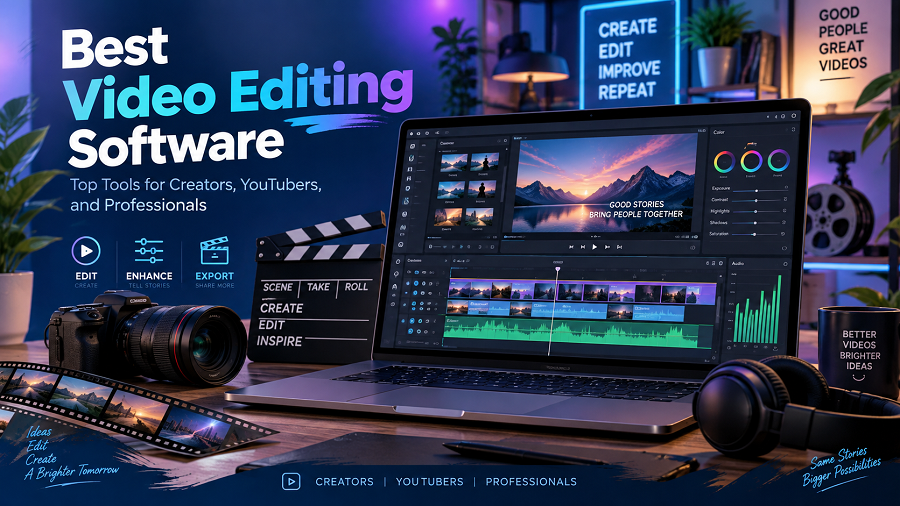
Video content has become one of the most powerful ways to communicate online. From YouTube videos and social media reels to business presentations and professional films, high-quality video helps brands and creators connect with audiences.
However, creating professional videos requires the right editing tools.
The best video editing software helps users cut footage, add effects, improve audio quality, create animations, adjust colors, and export videos for different platforms.
Today, video editing software is available for everyone — from beginners making their first social media video to professional filmmakers producing movies.
The challenge is choosing the right software.
Some editors focus on simplicity, while others provide advanced tools for professional production. This guide explains the top video editing software options, their features, advantages, limitations, and which users they are best suited for.
What Is Video Editing Software?
Video editing software is a computer or mobile application used to modify and improve video recordings.
Users can use editing software to:
- Remove unwanted clips
- Combine multiple videos
- Add music and sound effects.
- Insert text and captions.
- Apply transitions
- Adjust colors
- Create visual effects
- Export videos in different formats
For example, a YouTuber may record several hours of footage and use video editing software to create a 10-minute final video with a professional structure.
Why Is Video Editing Software Important?
Raw video footage is rarely ready for publishing.
Editing improves:
Video Quality
Editors can correct lighting, colors, and image problems.
Storytelling
Editing helps arrange clips into a clear and engaging story.
Professional Appearance
Transitions, graphics, captions, and effects make videos look more polished.
Audience Engagement
Well-edited videos usually keep viewers interested for longer.
Types of Video Editing Software
Video editing tools are available for different skill levels.
Beginner Video Editing Software
Designed for:
- New creators
- Students
- Social media users
Features usually include:
- Simple timeline editing
- Templates
- Automatic effects
- Basic audio tools
Examples:
- CapCut
- iMovie
- Canva Video Editor
Professional Video Editing Software
Designed for:
- Filmmakers
- Video production companies
- Professional editors
Features include:
- Advanced color grading
- Motion graphics
- Multi-camera editing
- Professional audio processing
Examples:
- Adobe Premiere Pro
- DaVinci Resolve
- Final Cut Pro
AI-Powered Video Editing Software
Modern editors increasingly use artificial intelligence to simplify editing.
AI features may include:
- Automatic captions
- Background removal
- Smart scene detection
- Noise reduction
- Automatic editing suggestions
Best Video Editing Software Comparison
| Adobe Premiere Pro | Professional editors | Windows, Mac |
| DaVinci Resolve | Filmmakers and color editing | Windows, Mac, Linux |
| Final Cut Pro | Mac users | macOS |
| CapCut | Social media creators | Windows, Mac, Mobile |
| Filmora | Beginners | Windows, Mac |
| iMovie | Apple beginners | Apple devices |
| Canva Video Editor | Simple online videos | Web |
Adobe Premiere Pro – Best Professional Video Editing Software
Best For:
Professional editors, filmmakers, YouTubers, and production teams.
Adobe Premiere Pro is one of the most widely used professional video editing applications.
It provides advanced tools for editing, color correction, audio improvement, and visual effects.
Key Features
- Multi-track timeline editing
- Advanced color tools
- Audio editing
- Motion graphics integration
- Professional export options
- Collaboration features
Advantages
✔ Industry-standard editing workflow
✔ Powerful editing controls
✔ Supports many video formats
✔ Works with other Adobe applications
✔ Powerful editing controls
✔ Supports many video formats
✔ Works with other Adobe applications
Limitations
✘ Subscription-based pricing
✘ Requires time to learn
✘ Needs a capable computer for large projects
✘ Requires time to learn
✘ Needs a capable computer for large projects
Best Choice For:
Creators who want professional-level video production.
DaVinci Resolve – Best Free Professional Editor
Best For:
Filmmakers, advanced creators, and users who want professional features.
DaVinci Resolve is known for combining video editing, color correction, visual effects, motion graphics, and audio production in one application.
Key Features
- Professional timeline editing
- Color grading tools
- Visual effects
- Audio post-production
- Multi-user collaboration
Advantages
✔ Powerful free version available
✔ Excellent color correction tools
✔ Professional workflow
✔ Excellent color correction tools
✔ Professional workflow
Limitations
✘ Learning curve can be challenging
✘ Requires stronger hardware for advanced projects
✘ Requires stronger hardware for advanced projects
Best Choice For:
Creators who want professional tools without starting with expensive software.
Final Cut Pro – Best Video Editor for Mac Users
Best For:
Apple users are creating professional videos.
Final Cut Pro is developed by Apple and designed specifically for macOS.
It provides a fast editing workflow optimized for Mac computers.
Key Features
- Magnetic timeline
- Advanced effects
- High-resolution editing
- Fast rendering
- Professional audio tools
Advantages
✔ Excellent performance on Mac
✔ Smooth user experience
✔ Powerful professional features
✔ Smooth user experience
✔ Powerful professional features
Limitations
✘ Only available on Apple devices
✘ Requires learning for beginners
✘ Requires learning for beginners
Best Choice For:
Mac-based creators and video professionals.
CapCut – Best Video Editor for Social Media Creators
Best For:
TikTok creators, Instagram users, YouTubers, and beginners.
CapCut became popular because it offers simple editing tools, along with many effects and templates.
Key Features
- Mobile editing
- Auto captions
- Filters
- Effects
- Templates
- Music tools
Advantages
✔ Beginner-friendly
✔ Good for short-form videos
✔ Available on mobile and desktop
✔ Good for short-form videos
✔ Available on mobile and desktop
Limitations
✘ Not designed for complex filmmaking
✘ Advanced users may need more control
✘ Advanced users may need more control
Best Choice For:
Social media content creators.
Filmora – Best Beginner-Friendly Video Editor
Best For:
Beginners who want easy, professional-looking videos.
Filmora provides a balance between simplicity and creative features.
Key Features
- Drag-and-drop editing
- Effects library
- Templates
- Audio tools
- Text animation
Advantages
✔ Easy learning curve
✔ Good visual effects
✔ Suitable for beginners
✔ Good visual effects
✔ Suitable for beginners
Limitations
✘ Advanced professionals may need more powerful tools
✘ Some features require paid plans
✘ Some features require paid plans
Best Choice For:
New creators and small businesses.
iMovie – Best Free Editor for Apple Beginners
Best For:
iPhone, iPad, and Mac users.
iMovie provides basic video editing tools for Apple users.
Key Features
- Simple timeline editing
- Themes
- Music integration
- Basic transitions
- Video sharing options
Advantages
✔ Free for Apple users
✔ Very easy to use
✔ Good for simple projects
✔ Very easy to use
✔ Good for simple projects
Limitations
✘ Limited advanced features
✘ Not suitable for professional productions
✘ Not suitable for professional productions
Best Choice For:
Beginners creating personal or simple business videos.
Canva Video Editor – Best Online Video Editor
Best For:
Marketing teams, businesses, and social media content.
Canva provides browser-based video editing with templates and design tools.
Key Features
- Ready-made templates
- Text animation
- Stock media
- Brand designs
- Social media formats
Advantages
✔ Easy online editing
✔ Great for marketing content
✔ No advanced skills required
✔ Great for marketing content
✔ No advanced skills required
Limitations
✘ Limited compared with professional editors
✘ Less control over advanced editing
✘ Less control over advanced editing
How to Choose the Best Video Editing Software
The right software depends on your goals.
For YouTube Creators
Recommended:
- Adobe Premiere Pro
- DaVinci Resolve
- CapCut
YouTube creators need:
- Good audio editing
- Captions
- Effects
- Fast workflow
For Beginners
Recommended:
- Filmora
- iMovie
- Canva
Beginners should prioritize:
- Easy interface
- Templates
- Simple controls
For Professional Filmmakers
Recommended:
- Adobe Premiere Pro
- DaVinci Resolve
- Final Cut Pro
Professionals need:
- Color grading
- Advanced effects
- High-resolution support
For Social Media Videos
Recommended:
- CapCut
- Canva
- iMovie
Short-form content requires:
- Fast editing
- Vertical video support
- Captions
- Templates
Important Features to Look For
Timeline Editing
A good timeline allows precise control over video clips.
Audio Editing
Clear sound is essential for professional videos.
Look for:
- Noise reduction
- Audio mixing
- Music controls
Color Correction
Color tools improve the visual quality of footage.
Effects and Transitions
These help create engaging videos.
Export Options
Good software should support:
- HD video
- 4K video
- Social media formats
AI Features
Modern editors increasingly include AI-powered tools for faster editing.
Free vs Paid Video Editing Software
| Basic editing | Yes | Yes |
| Templates | Limited | More options |
| Advanced effects | Limited | Extensive |
| Professional workflow | Sometimes | Usually |
| Support | Limited | Better |
Free tools are excellent for beginners, while professional creators often need paid solutions.
Common Mistakes When Choosing Video Editing Software
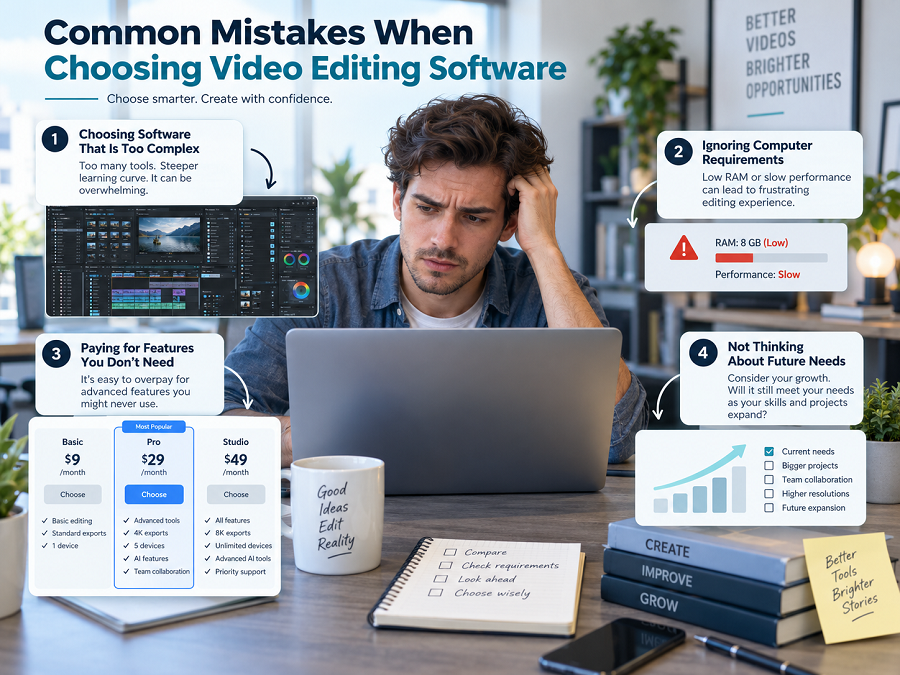
Choosing Software That Is Too Complex
Beginners often choose professional software before understanding the basics of editing.
Ignoring Computer Requirements
Advanced editors require powerful hardware.
Paying for Features You Do Not Need
Choose software based on your actual workflow.
Not Considering Future Growth
A beginner creator may eventually need advanced features.
Future of Video Editing Software
Video editing is becoming faster because of artificial intelligence.
Future improvements may include:
- Automatic video creation
- AI-powered editing suggestions
- Faster rendering
- Automated captions
- Smart effects
However, human creativity will remain important because storytelling and creative decisions cannot be fully replaced by software.
Final Recommendation: Best Video Editing Software
The best video editing software depends on your experience and goals.
For professional creators, Adobe Premiere Pro and DaVinci Resolve provide powerful editing capabilities.
For beginners, Filmora, iMovie, and Canva Video Editor offer easier workflows.
For social media creators, CapCut is a practical choice because of its speed and simplicity.
Before selecting software, consider your skill level, computer performance, budget, and type of videos you want to create.
Key Takeaways
- Video editing software helps transform raw footage into professional videos.
- Professional editors often use Adobe Premiere Pro, DaVinci Resolve, or Final Cut Pro.
- Beginners benefit from simple tools like Filmora, iMovie, and Canva.
- CapCut is popular for short-form social media content.
- The best video editor depends on your goals and experience.
- AI features are making video editing faster and easier.
Frequently Asked Questions (FAQs)
What is the best video editing software for beginners?
Filmora, iMovie, and Canva Video Editor are good choices for beginners because they have simple interfaces and easy tools.
Which video editing software do professionals use?
Professional editors commonly use tools such as Adobe Premiere Pro, DaVinci Resolve, and Final Cut Pro.
Is free video editing software good enough?
Yes. Free editors like DaVinci Resolve and iMovie provide useful features for many creators.
What video editing software is best for YouTube?
Adobe Premiere Pro, DaVinci Resolve, and CapCut are popular choices among YouTube creators.
Can AI edit videos automatically?
Many modern video editors include AI features such as automatic captions, background removal, and smart editing assistance.