Admin
Admin
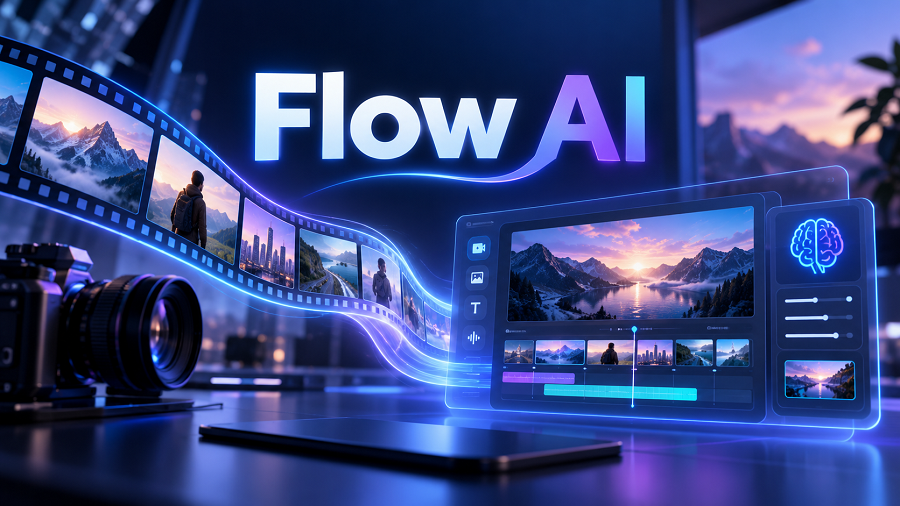
Artificial intelligence is transforming the creative industry. Video production, filmmaking, advertising, and content creation that once required expensive cameras, large production teams, and professional editing skills can now be supported by AI-powered tools.
One of the newest AI creative platforms gaining attention is Google Flow AI.
Google Flow AI is a filmmaking and creative workspace developed by Google that enables users to create cinematic video clips, scenes, and stories using advanced generative AI models. It combines Google’s video, image, and language technologies to help creators turn ideas into visual content.
For Indian creators, filmmakers, marketers, YouTubers, and small businesses, Flow AI offers new possibilities for producing high-quality visual content with fewer resources.
This complete guide explains what Flow AI is, how it works, its features, practical uses, advantages, limitations, and how beginners can use it effectively.
What Is Flow AI?
Flow AI, officially known as Google Flow, is an AI creative studio designed for filmmakers and storytellers.
It allows users to create videos using text prompts, images, references, and other creative inputs. The platform is built around Google’s advanced generative models, including Veo and Gemini-based technologies.
Instead of traditional video production methods, where creators need cameras, actors, locations, and complex editing workflows, Flow AI allows users to describe a scene and generate AI-assisted visual content.
For example, a creator can write:
“A cinematic drone shot of a futuristic city during sunset, realistic lighting, Hollywood-style camera movement.”
Flow AI can help transform this idea into a video scene.
The tool is designed for:
- Filmmakers
- Content creators
- Advertisers
- Designers
- Video producers
- Businesses creating marketing videos
How Does Google Flow AI Work?
Google Flow AI works by combining natural language instructions with generative AI models.
The user provides a prompt describing:
- Subject
- Environment
- Camera movement
- Lighting
- Visual style
- Mood
- Story direction
The AI then generates or modifies visual content based on the instructions.
Google Flow supports creating videos from text prompts, images, frames, and reference materials. Users can also organize creative assets and build scenes inside projects.
A simple workflow looks like this:
Idea → Prompt → AI Generation → Scene Refinement → Final Video
For example:
Idea:
A luxury car advertisement.
A luxury car advertisement.
Prompt:
“A black sports car driving through a rainy Tokyo street at night, cinematic lighting, slow motion, realistic reflections.”
“A black sports car driving through a rainy Tokyo street at night, cinematic lighting, slow motion, realistic reflections.”
Result:
An AI-generated cinematic scene that can be refined further.
An AI-generated cinematic scene that can be refined further.
Key Features of Flow AI
AI Video Generation
The main feature of Flow AI is its ability to create video content using artificial intelligence.
Creators can generate:
- Short cinematic clips
- Story scenes
- Product videos
- Advertisement concepts
- Visual experiments
Google Flow uses advanced video models such as Veo to produce realistic motion, camera effects, and cinematic visuals.
Text-to-Video Creation
Flow AI allows users to describe a scene using natural language.
Instead of manually creating every visual element, users can explain their idea.
Examples:
“Aerial view of Kerala backwaters during sunrise with cinematic camera movement.”
“A luxury fashion model walking in a modern studio with dramatic lighting.”
The quality of the result depends heavily on the quality of the prompt.
Image-to-Video Generation
Flow AI can animate images, transforming static visuals into moving scenes.
This is useful for:
- Product images
- Concept art
- Character designs
- Storyboards
A creator can upload an image and describe how it should move.
Example:
“Animate this product image with a slow camera rotation and premium studio lighting.”
Google Flow supports creating videos from images and reference frames.
Character and Object Consistency
One challenge in AI video generation is maintaining consistency.
A character may look different from one scene to another.
Flow AI focuses on helping creators maintain consistency using references and ingredients. Users can add visual references to guide characters, objects, and scenes.
This is important for:
- Short films
- Brand advertisements
- Story-based videos
- AI-generated series
Cinematic Camera Controls
Professional-looking videos depend on camera movement.
Flow AI allows creators to describe cinematic elements such as:
- Drone shots
- Tracking shots
- Close-ups
- Wide-angle scenes
- Slow motion
- Camera transitions
Example:
“Slow cinematic dolly-in shot of a person standing in a foggy forest.”
AI-Assisted Creative Workflow
Flow AI is not only a generation tool. It works as a creative workspace.
Creators can:
- Organize projects
- Manage assets
- Develop scenes
- Refine ideas
- Experiment with different versions
Google describes Flow as a creative environment built for planning, creating, and refining visual projects.
How Can Indians Use Flow AI?
India has a rapidly growing creator economy. AI video tools can help individuals and businesses create professional content faster.
Flow AI for YouTube Creators
YouTubers can use Flow AI for:
- Intro sequences
- Story visuals
- Documentary scenes
- Background footage
- Concept videos
For example, an educational YouTube channel can create historical environments without expensive filming.
Flow AI for Digital Marketing
Marketing agencies and businesses can create:
- Advertisement concepts
- Product demonstrations
- Social media videos
- Brand storytelling videos
Small businesses can use AI-generated visuals to compete with larger companies.
Flow AI for Filmmakers
Independent filmmakers can use Flow AI during:
- Pre-production
- Story visualization
- Concept development
- Scene planning
Before shooting a film, directors can visualize ideas using AI-generated scenes.
Flow AI for Wedding and Event Industry
India has a large wedding industry.
Creative professionals can use AI for:
- Wedding invitation videos
- Cinematic previews
- Concept trailers
- Creative storytelling
AI can help photographers and videographers present unique ideas to clients.
Flow AI vs Traditional Video Production
| Camera equipment | Required | Not always required |
| Actors/location | Often required | Can be AI-generated |
| Production cost | Usually high | Lower for concept creation |
| Speed | Days or weeks | Faster experimentation |
| Creative testing | Limited | Multiple variations |
However, AI does not completely replace professional filmmaking. Human creativity, direction, editing, and storytelling remain important.
Benefits of Using Flow AI
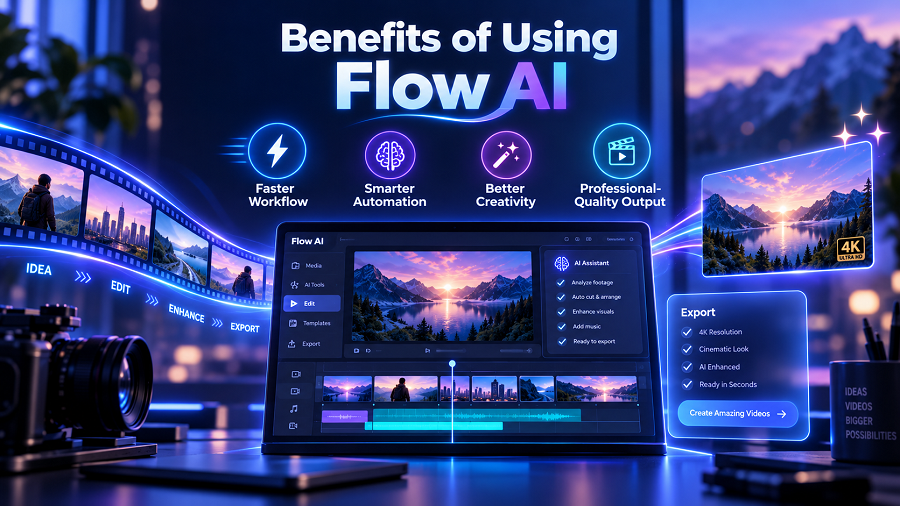
Faster Content Creation
Creators can test ideas quickly without arranging complete production setups.
Lower Production Costs
AI can reduce expenses during concept development and visual experimentation.
More Creative Freedom
Creators can explore ideas that may be difficult or expensive to film traditionally.
Examples:
- Fantasy worlds
- Historical scenes
- Futuristic environments
- Impossible camera movements
Helps Beginners
People without advanced filmmaking equipment can experiment with visual storytelling.
Limitations of Flow AI
Although Flow AI is powerful, it has limitations.
AI Results Need Human Direction
AI-generated videos still require creative decisions.
A good result depends on:
- Strong prompts
- Story planning
- Editing skills
- Visual understanding
Consistency Challenges
Maintaining perfect character appearance and details across many scenes can still be challenging.
Not a Complete Film Production Replacement
Professional productions still require:
- Directors
- Cinematographers
- Actors
- Editors
- Sound designers
AI works best as a creative assistant.
Learning Curve
Beginners need time to understand:
- Prompt writing
- Scene planning
- Visual storytelling
Better prompts usually create better results.
How to Write Better Flow AI Prompts
A strong prompt usually includes:
Subject
What is happening?
Example:
“A young entrepreneur working in a modern office.”
Environment
Where is it happening?
Example:
“Glass office overlooking Mumbai skyline.”
Camera Direction
How should it look?
Example:
“Slow cinematic camera movement, shallow depth of field.”
Style
What visual feeling is required?
Example:
“Hollywood cinematic style, realistic lighting.”
Example Flow AI Prompt
Basic Prompt:
“A man walking in a city.”
Better Prompt:
“A cinematic tracking shot of a young entrepreneur walking through Mumbai streets during golden hour, realistic urban environment, natural lighting, shallow depth of field, professional filmmaking style.”
The second prompt gives the AI more creative direction.
Is Flow AI Free?
Google Flow availability depends on Google’s AI subscription plans, supported regions, and account eligibility. Google states that Flow access requires eligible Google AI subscription plans and availability may vary by region and platform.
Users should check Google’s official Flow availability information before subscribing.
Future of Flow AI
AI filmmaking is developing rapidly.
Future improvements may bring:
- Better character consistency
- More realistic motion
- Advanced editing control
- Faster generation
- Improved storytelling assistance
Tools like Flow AI may become common in advertising, entertainment, education, and digital media production.
Key Takeaways
- Google Flow AI is an AI filmmaking platform for creating cinematic videos.
- It uses advanced Google AI models,, including Veo and Gemini.
- Creators can generate videos from text prompts, images, and references.
- Flow AI can help YouTubers, marketers, filmmakers, and businesses.
- Strong prompts are essential for better results.
- AI supports creativity but does not replace human storytelling.
Frequently Asked Questions (FAQs)
What is Flow AI?
Flow AI is Google’s AI creative studio designed to generate and refine cinematic videos using generative AI models.
Is Google Flow AI available in India?
Availability depends on Google’s supported regions and subscription plans. Users should check current Google AI availability for their account.
Can Flow AI create realistic videos?
Yes, Flow AI is designed to create cinematic video clips using advanced generative models, although results depend on prompts and model availability.
Can beginners use Flow AI?
Yes. Beginners can use Flow AI by learning basic prompt writing and visual storytelling techniques.
Is Flow AI replacing filmmakers?
No. Flow AI is a creative assistant that helps filmmakers generate ideas and visuals. Human creativity and production skills remain important.