Admin
Admin
Artificial intelligence has changed the way people create and edit images. Earlier, professional photo editing required expensive software, advanced skills, and hours of manual work. Today, AI image tools allow users to transform simple ideas into detailed visuals using only text instructions.
What Is a Google Gemini AI Photo Prompt?
- Lighting
- Background
- Colors
- Camera effects
- Clothing
- Style
Create a professional business portrait.
Create a realistic, professional portrait of an Indian entrepreneur in a navy blue suit in a modern office setting, with natural window light, a shallow depth of field, and a high-resolution, photorealistic style.
How Does Google Gemini AI Photo Generation Work?
User Provides a Prompt
- Subject
- Location
- Style
- Mood
- Camera perspective
- Details
AI Understands the Context
- Objects
- People
- Environment
- Artistic style
- Visual relationships
Image Generation or Editing
Why Are Google Gemini AI Photo Prompts Popular?
Easy for Beginners
Faster Content Creation
- Social media images
- Blog graphics
- Marketing visuals
- Presentation images
- Product concepts
Professional-Looking Results
- Camera angle
- Lighting style
- Lens effect
- Color grading
- Composition
Useful for Indian Creators and Businesses
- Festival campaigns
- Product advertisements
- Website banners
- Social media posts
- Branding concepts
Formula for Writing the Best Google Gemini AI Photo Prompt
A strong AI image prompt usually contains several important elements.
Subject
- An Indian woman wearing a traditional saree
- Luxury watch
- Modern office building
- Coffee shop interior
Environment
- Mumbai street market
- Mountain landscape
- Minimal studio background
- Corporate office
Style
- Cinematic photography
- Realistic portrait
- Fashion editorial style
- 3D illustration
- Vintage photography
Lighting
- Golden hour lighting
- Soft natural light
- Dramatic studio lighting
- Neon city lighting
Camera Details
- DSLR photography
- 85mm portrait lens
- Shallow depth of field
- Ultra-realistic details
Image Format
- Instagram portrait ratio
- YouTube thumbnail style
- Website banner
- Product catalogue image
Best Google Gemini AI Photo Prompt Examples
Realistic Portrait Prompt
Create a realistic, professional portrait of a young entrepreneur in a formal black suit, standing in a modern office, with natural window light, DSLR photography, an 85mm lens, a shallow depth of field, realistic skin texture, and a high-resolution image.
Indian Traditional Fashion Prompt
Create a luxury fashion portrait of an Indian woman wearing an elegant red saree with traditional jewelry, standing against a heritage palace backdrop, with cinematic lighting, premium fashion magazine style, and realistic photography.
Product Photography Prompt
Create a premium product advertisement image of a luxury perfume bottle on a marble surface, with dramatic studio lighting, reflections, high-end commercial-photography style, and sharp details.
Social Media Profile Prompt
Transform this photo into a professional LinkedIn profile image with a clean background, business clothing, natural lighting, realistic facial details, and a corporate photography style.
Travel Photography Prompt
Create a cinematic travel photograph of a person standing near the Himalayan mountains at sunrise, with a realistic atmosphere, natural colours, and a professional adventure-photography style.
Google Gemini AI Photo Editing Prompts
Background Change
Replace the background with a modern luxury office while keeping the person realistic.
Clothing Change
Change the outfit to a professional business suit while maintaining the original face and pose.
Lighting Improvement
Enhance this image with warm cinematic lighting and improve professional photography quality.
Remove Objects
Remove unnecessary objects from the background and create a clean, realistic environment.
Google Gemini AI Photo Prompt Ideas for Businesses
E-commerce Products
- Product advertisements
- Lifestyle product images
- Catalogue visuals
- Promotional banners
Create an e-commerce product photo of handmade Indian jewelry displayed on a luxury background with soft lighting.
Restaurants
Create a premium food-photography image of Indian biryani served in a traditional copper bowl, with restaurant-style lighting.
Real Estate
Create a modern luxury apartment interior design visualization with natural sunlight, premium furniture, and realistic architectural photography.
Common Mistakes When Writing Gemini AI Photo Prompts
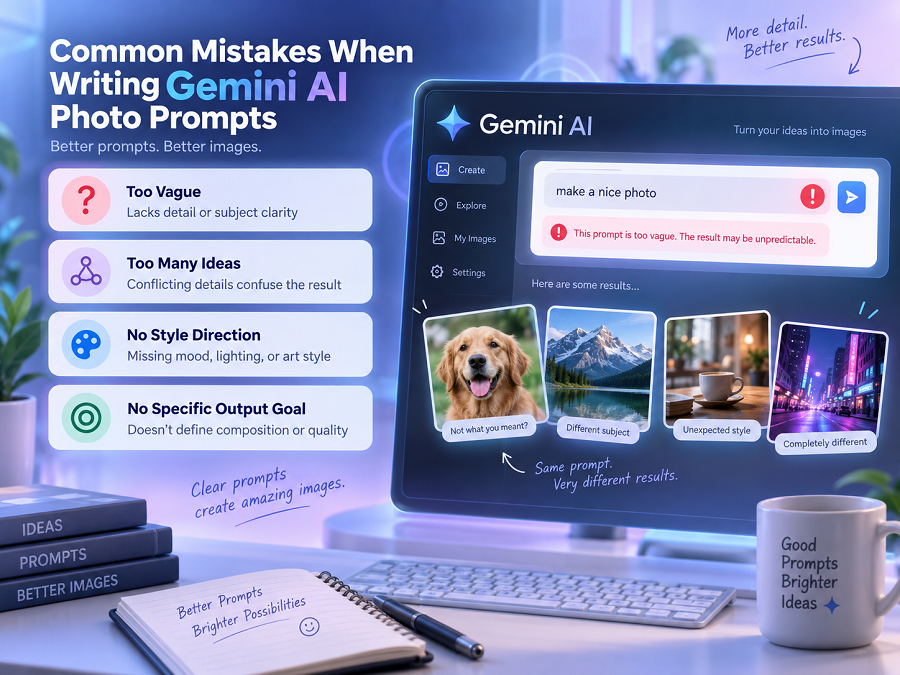
Using Very Short Prompts
Take a nice photo.
Create a realistic outdoor portrait with natural lighting, professional photography style, and a modern background.
Not Explaining the Style
- Realistic
- Cinematic
- Cartoon
- Minimalist
- Professional
Adding Too Many Conflicting Details
Create a realistic cartoon, futuristic, ancient, modern, or vintage photo.
Not Refining the Result
- Make it more realistic.
- Change the lighting.
- Improve the background.
- Make the colours warmer.
Google Gemini AI Photo Prompt vs Traditional Editing
| Skill required | Beginner-friendly | Requires training |
| Speed | Fast | Time-consuming |
| Creativity | High | Depends on user skills |
| Control | Prompt-based | Manual adjustments |
| Cost | Often lower | Professional software may cost more |
Tips for Better Gemini AI Images
Be Specific
Describe the Mood
- Elegant
- Dramatic
- Professional
- Happy
- Luxury
Use Real Photography Terms
- DSLR
- Cinematic
- Studio lighting
- Depth of field
- High detail
- Professional photography
Experiment With Variations
- Location
- Lighting
- Style
- Camera angle
Limitations of Google Gemini AI Photo Prompts
AI Does Not Always Create Perfect Images
- Incorrect details
- Unrealistic objects
- Visual inconsistencies
Human Review Is Important
- Brand accuracy
- Product details
- Text accuracy
- Realistic appearance
Results Depend on Prompt Quality
Future of AI Photo Prompts
- Better realism
- More accurate editing
- Improved personalization
- Better control over image details
Key Takeaways
- Google Gemini AI photo prompts allow users to create and edit images using text instructions.
- Detailed prompts produce better results.
- Adding subject, style, lighting, and camera details improves image quality.
- Gemini AI photo prompts are useful for creators, businesses, students, and marketers.
- AI images should always be reviewed before professional use.