Admin
Admin
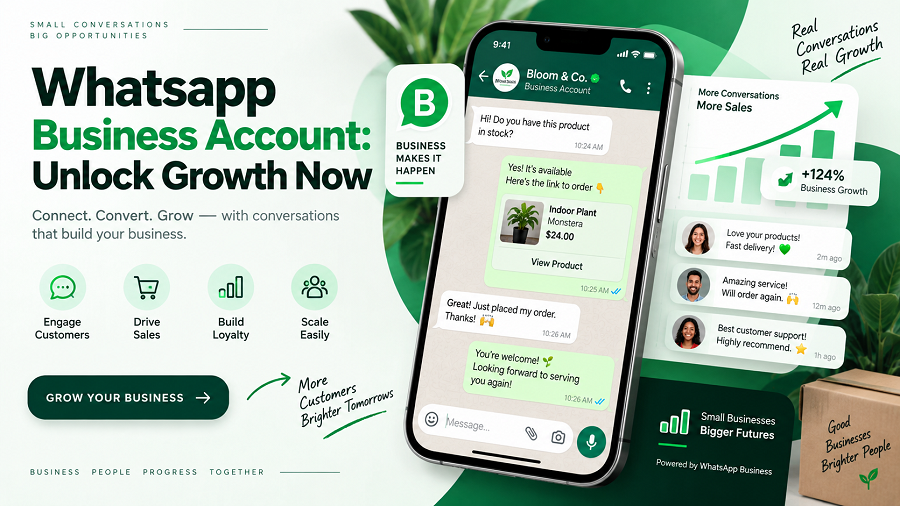
Ready to take your business to the next level? If you’re looking for a powerful, direct way to connect with your customers, then a WhatsApp Business Account might be exactly what you need.
Imagine chatting with clients, answering questions instantly, and even closing sales – all within an app they already use every day. This isn’t just about sending messages; it’s about building relationships and making your business more accessible than ever. Stick around, and we’ll show you how to set up your own WhatsApp Business Account and unlock its incredible potential for your company.
Whatsapp Business: Your Growth Engine
WhatsApp Business isn’t just an app. It’s a powerful tool for your business. It helps you connect with customers. It drives your growth. Think of it as your growth engine. It works hard for you.
Connect Instantly With Customers
Reach your customers easily. Send quick messages. Answer their questions fast. Build strong relationships. Customers feel heard. They feel valued.
Showcase Your Products And Services
Your business catalog lives here. Display what you offer. Use product images. Add descriptions. Include prices. Customers can browse easily. They can find what they need.
Automate Your Communication
Save time with automation. Set up quick replies. Greet new customers. Send away messages. Customers get responses. Even when you’re busy. Never miss a lead.
Build Trust And Credibility
A business profile looks professional. Add your address. Include your website. Share your business hours. Customers see you are real. They trust you more.
Gather Valuable Customer Insights
Understand your customers better. See what they ask for. Learn their preferences. Use this data. Improve your offerings. Grow your business smarter.
Setting Up Your Business Profile
Setting up your business profile is your first step. It’s your digital storefront on WhatsApp. A complete profile builds trust. Customers find what they need easily. This section guides you through it.
Essential Profile Details
Your business name is vital. Use your official name. A clear profile picture matters. Your logo works best. Add a brief business description. Tell people what you do. Include your business address. This helps local customers. Your email address is important. It offers another contact method. Your website link is key. Direct people to your online presence.
Showcasing Your Brand
Your brand comes alive here. Make your description engaging. Highlight your unique selling points. What makes you special? Use your brand colors. Ensure consistency. Your profile picture reflects your brand. Keep it professional. This is your first impression. Make it a good one. Your profile speaks for you. It tells your brand story. Build customer confidence. A strong profile attracts more business.
Messaging Tools For Efficiency
WhatsApp Business offers powerful messaging tools. These tools boost your business efficiency. Streamline your customer communication. Save valuable time. Focus on growing your business. These features are easy to use.
Quick Replies
Save common answers. Send them fast. Customers get quick responses. This speeds up conversations. You answer frequently asked questions. No need to type them again. Just choose a saved reply. It’s that simple.
Automated Messages
Set up messages automatically. They send without you. Inform customers about services. Share important information. Automate routine updates. Keep everyone informed. It works even when you are busy.
Greeting Messages
Welcome new customers. Send a friendly greeting. It makes a good first impression. Personalize your welcome. Show you care about them. This builds customer loyalty. Start conversations positively.
Away Messages
Let customers know you are away. Set an automatic response. Inform them when you return. Manage expectations clearly. Avoid customer frustration. They know when to expect a reply. It’s professional and helpful.
Catalog: Your Digital Storefront
Your WhatsApp Business catalog acts as your virtual shop. It showcases your products. Customers can browse easily. This feature boosts sales. It makes shopping simple for everyone.
Adding Products Seamlessly
Adding items is easy. You upload product photos. Write clear product names. Include brief descriptions. Add pricing information. It takes just moments. Your products are live.
Organizing Your Catalog
Keep your catalog tidy. Group similar items together. Use categories for clarity. This helps customers find things. A well-organized catalog sells more. It looks professional too.
Sharing Product Information
Share product links directly. Send them in chats. Customers see details instantly. They can ask questions fast. This speeds up the buying process. It improves customer service.
Labels: Streamlining Customer Interactions
Labels are a powerful tool. WhatsApp Business makes them simple. They help organize your customer conversations. This streamlines your entire workflow. You can manage your business better. Labels bring order to chaos.
Categorizing Chats
Think of labels as digital sticky notes. You assign them to chats. New customers get a “New” label. Pending orders get a “Pending” label. Completed sales get a “Done” label. This keeps everything clear. You see at a glance. Who needs attention next.
Tracking Customer Journeys
Labels show customer progress. See where each customer is. Are they just starting? Are they ready to buy? Are they a returning client? Labels help you visualize this. It is like a simple map. For every customer interaction.
Personalizing Communication
Labels allow targeted messages. Send special offers to VIPs. Remind customers about appointments. Address specific needs easily. You know their history. Labels provide this context. Customers feel understood. Your service feels personal.
Broadcast Lists: Reaching Many
WhatsApp Business Broadcast Lists are powerful tools. They help you send one message to many contacts. This saves you time. It also ensures everyone gets your update. Imagine telling all your customers about a sale. A broadcast list makes this easy.
Effective Broadcast Strategies
Segment your lists. Group customers by interest. Send relevant offers. Keep messages short and clear. Use clear calls to action. Ask a simple question. Offer a special discount. Announce new products. Share important updates. Personalize messages when possible. Use the customer’s name. This builds a connection. Test different message types. See what gets the best response. Analyze your results. Improve your strategy.
When To Use Broadcasts
Use broadcasts for announcements. Share business news. Promote special offers. Send event invitations. Remind customers about appointments. Announce holiday hours. Share helpful tips. Offer customer support updates. Collect feedback. Send thank you messages. Use them for marketing campaigns. They are great for quick updates. They reach many people fast.
Whatsapp Business Api: Scaling Up
Ready to grow your business? WhatsApp Business API helps you scale. It connects you with more customers. This tool is for larger businesses. It handles many messages. Your customer service improves. Your sales can increase.
Benefits Of The Api
The API offers many advantages. It automates conversations. Send personalized messages. Reach customers instantly. Support teams handle more queries. Reduce response times greatly. Boost customer satisfaction. Improve team efficiency.
Integration Possibilities
Connect the API to your systems. Link it with your CRM. Integrate with your e-commerce platform. Use your existing tools. Sync customer data easily. Automate order updates. Provide real-time support. Streamline workflows.
Customer Engagement Strategies
Customer engagement is key. A WhatsApp Business account helps. It connects you with customers. This builds loyalty. It also boosts sales. Let’s explore some strategies.
Proactive Outreach
Reach out first. Send helpful updates. Share new product info. Offer special discounts. Personalize messages. Make them feel valued. This builds anticipation.
Handling Inquiries
Respond quickly. Answer questions fast. Use quick replies. Automate common answers. Be clear and concise. Solve problems efficiently. Satisfied customers return.
Building Relationships
Go beyond transactions. Ask for feedback. Share tips and advice. Celebrate customer milestones. Show genuine care. Build trust over time. Strong relationships last.
Measuring Success With Whatsapp
You built your WhatsApp Business account. Now what? Success is not just about having an account. It’s about knowing if it works. Measuring success shows what’s good. It also shows what needs work. This helps you improve. You get better results. You serve customers well.
Key Metrics To Track
Track important numbers. These numbers tell a story. They show how your business grows. They show customer interactions. Focus on what matters most. These metrics guide your strategy. They reveal your account’s impact.
Message response time is vital. How fast do you reply? Quick replies impress clients. High response rates are good. Message volume shows activity. Many messages mean engagement. Read receipts are helpful. They confirm messages were seen. Customer satisfaction is key. Are clients happy with service? This is a crucial indicator.
Analyzing Performance
Look closely at your data. Numbers tell a clear story. They show what’s working well. They highlight areas needing improvement. Analyze trends over time. See how your efforts pay off. This analysis drives smart decisions. It makes your WhatsApp strategy stronger.
Compare your response times. Are they getting faster? Is message volume increasing? Are customer satisfaction scores rising? Spot patterns in customer questions. This helps create better FAQs. It improves your automated replies. Use this data to refine your approach. Make your WhatsApp business even better.
Best Practices For Whatsapp Business
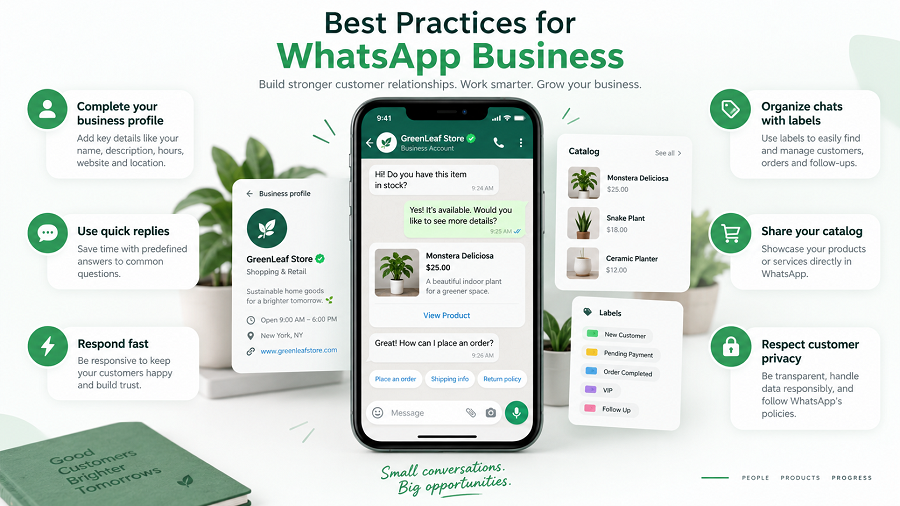
Using WhatsApp Business effectively requires smart strategies. These are the best ways to use the platform. Follow these tips for success. You will connect better with customers.
Maintaining Professionalism
Your business profile matters. Use a clear, professional logo. Write a concise business description. Share your business hours. Provide accurate contact information. Respond promptly to messages. Use polite and respectful language. Avoid slang or informal terms. Keep your tone consistent. This builds trust with customers.
Respecting User Privacy
Customer privacy is very important. Never share customer data. Get permission before sending messages. Respect opt-out requests immediately. Do not spam your contacts. Offer value in every message. Avoid sending unsolicited promotions. Your customers will appreciate this. It shows you care about them.
Staying Updated
WhatsApp Business features change. Keep your app updated. Learn about new tools. Explore new features regularly. Adapt your strategy as needed. This keeps your business competitive. You can offer better service. Your customers will notice the improvement.
Frequently Asked Questions
What Is A Whatsapp Business Account?
A WhatsApp Business account is a free app for small businesses. It helps you connect with customers easily. You can create a business profile. It also offers messaging tools.
How To Set Up Whatsapp Business?
Download the WhatsApp Business app. Verify your business phone number. Then, create your business profile. You can add your address, hours, and website.
What Are Whatsapp Business Features?
Key features include business profiles and quick replies. You can also use labels to organize chats. Catalogues help showcase products. Automated messages save time.
Is Whatsapp Business Free To Use?
Yes, the WhatsApp Business app is completely free. You can download it and use its core features. There are no subscription fees for basic use.
Conclusion
A WhatsApp Business account helps your company. It connects you directly with customers. Share updates easily. Answer questions fast. Build stronger relationships. Grow your business today. Try it out. See the difference. It is simple.