Admin
Admin
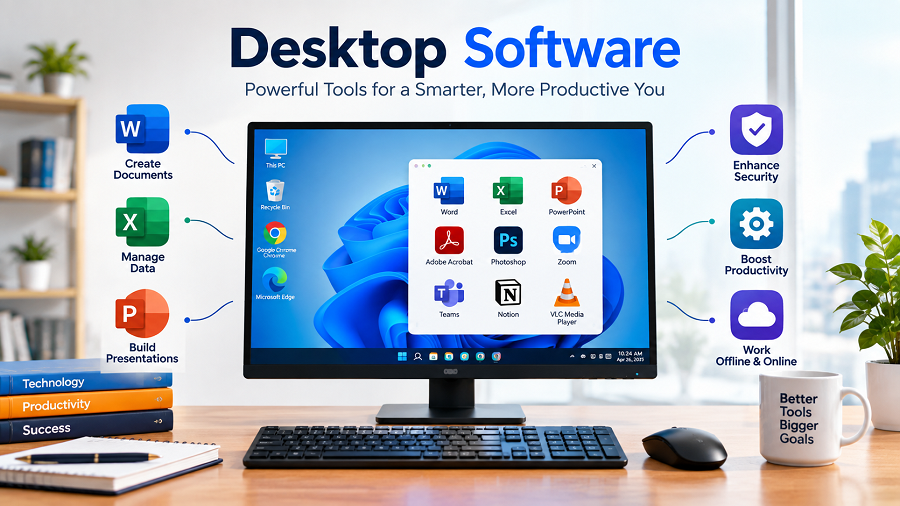
Computers have become an essential part of everyday life, from personal tasks and education to business operations and professional work. One of the key elements that makes computers useful is desktop software.
Desktop software refers to applications installed directly on a computer or laptop that allow users to perform specific tasks. Unlike web applications that run through internet browsers, desktop software operates through the computer’s operating system and can often work without a continuous internet connection.
From office productivity tools and graphic design programs to accounting systems and engineering applications, desktop software continues to support millions of users worldwide.
This guide explains what desktop software is, its types, advantages, and examples, as well as how businesses and individuals can choose the right desktop applications.
What Is Desktop Software?
Desktop software is a computer program designed to run on a desktop or laptop operating system. Users download and install these applications on their devices, allowing them to complete specific tasks.
Desktop applications usually interact directly with computer resources such as:
- Processor (CPU)
- Memory (RAM)
- Storage devices
- Graphics hardware
- Operating system features
Common desktop operating systems that support desktop software include:
- Microsoft Windows
- macOS
- Linux distributions
Examples of popular desktop software include word processors, photo-editing programs, video-editing tools, accounting software, and database management systems.
Unlike browser-based applications, desktop software does not always require an internet connection after installation. This makes it useful for users who need reliable performance and offline access.
How Does Desktop Software Work?
Desktop software works by using files installed on a computer’s storage system. When users open the application, the operating system loads the required files into memory, allowing the program to perform different functions.
The basic process includes:
Installation
Users install software files on their computers.
Users install software files on their computers.
Configuration
The software adjusts settings according to the operating system and user preferences.
The software adjusts settings according to the operating system and user preferences.
Execution
The operating system launches the application whenever the user opens it.
The operating system launches the application whenever the user opens it.
Data Processing
The software uses computer resources to complete tasks.
The software uses computer resources to complete tasks.
For example, when a user opens a desktop photo editing application, the software uses the computer’s processor and graphics capabilities to modify images.
Types of Desktop Software
Desktop software is available in many categories depending on user needs. Different industries rely on different types of desktop applications.
Productivity Software
Productivity software helps users create documents, manage information, and complete daily tasks.
Examples include:
- Word processors
- Spreadsheet applications
- Presentation tools
- Note-taking software
Common uses:
- Writing reports
- Creating business documents
- Managing data
- Preparing presentations
Businesses, schools, and individuals use productivity software for everyday activities.
Business and Accounting Software
Businesses use desktop software to manage financial records, inventory, customers, and operations.
Examples include:
- Accounting applications
- Customer management tools
- Inventory management systems
- Billing software
These applications help organizations:
- Track expenses
- Manage sales records
- Generate reports
- Improve workflow efficiency
Small and medium businesses often use desktop accounting software because it provides powerful features without requiring complex infrastructure.
Graphic Design Software
Graphic design desktop applications allow professionals to create and edit visual content.
They are commonly used by:
- Designers
- Marketing teams
- Photographers
- Content creators
Common features include:
- Image editing
- Vector design
- Digital illustration
- Layout creation
Graphic design software is important for creating advertisements, websites, product designs, and branding materials.
Video and Audio Editing Software
Media professionals depend on desktop software to create and edit digital content.
These applications allow users to:
- Edit videos
- Add visual effects
- Improve audio quality
- Create animations
Video editing software is widely used in:
- Film production
- YouTube content creation
- Advertising
- Online education
Desktop-based editing tools often provide advanced features because they can use powerful computer hardware.
Engineering and Technical Software
Engineering industries use specialized desktop applications for designing, simulation, and analysis.
Examples include software for:
- Computer-aided design (CAD)
- 3D modeling
- Mechanical simulation
- Data analysis
Engineers, architects, and researchers use these applications to develop products and solve technical problems.
Security Software
Security-focused desktop software helps protect computers from digital threats.
Examples include:
- Antivirus programs
- Firewall applications
- Password managers
- Data encryption tools
These applications help protect sensitive information and improve computer security.
Desktop Software vs Web Applications
Both desktop software and web applications help users complete tasks, but they work differently.
| Installation | Required | Usually not required |
| Internet Requirement | Often works offline | Usually needs internet |
| Performance | Often faster for complex tasks | Depends on internet and browser |
| Updates | User may need to install updates | Usually updated automatically |
| Device Access | Better hardware access | Limited browser access |
| Examples | Video editors, CAD tools | Online email, cloud tools |
Neither option is always better. The right choice depends on user requirements.
Benefits of Desktop Software
Better Performance
Desktop applications can directly use computer resources, including processors and graphics cards. This often provides better performance for demanding tasks.
For example, video editing and engineering software usually require strong hardware access.
Offline Accessibility
One of the biggest advantages of desktop software is the ability to work without internet access.
Users can continue working during:
- Internet outages
- Travel situations
- Limited connectivity environments
This makes desktop applications valuable for many professionals.
Improved Data Control
Desktop software stores data locally unless users choose cloud synchronization.
Advantages include:
- Greater control over files
- Reduced dependency on external servers
- Easier offline access
However, users should still maintain backups to prevent data loss.
Advanced Features
Many desktop applications provide advanced tools that may not be available in basic online versions.
Examples:
- Professional editing features
- Advanced calculations
- Custom workflows
- Hardware integration
This is why industries such as engineering, design, and finance continue using desktop software.
Better Hardware Integration
Desktop software can often communicate directly with hardware devices.
Examples:
- Printers
- Scanners
- Cameras
- External storage devices
- Specialized equipment
This makes desktop applications useful in professional environments.
Common Examples of Desktop Software
Some widely used desktop software categories include:
| Office Software | Documents, spreadsheets, presentations |
| Design Software | Graphics, illustrations, branding |
| Video Software | Editing and production |
| Accounting Software | Financial management |
| Development Tools | Programming and software creation |
| Security Tools | Protection and privacy |
| Communication Tools | Messaging and collaboration |
The exact software choice depends on user requirements, budget, and operating system compatibility.
Importance of Desktop Software for Businesses
Businesses continue using desktop software because it provides reliable tools for daily operations.
Improving Productivity
Employees use desktop applications to:
- Create reports
- Manage customer information
- Analyze data
- Automate repetitive tasks
This reduces manual work and improves efficiency.
Supporting Specialized Work
Many industries require professional desktop applications.
Examples:
Healthcare
Medical professionals use specialized software for managing information and analysis.
Engineering
Engineers use design and simulation software.
Finance
Companies use accounting and financial management tools.
Media
Creative teams use editing and production software.
Enhancing Data Management
Businesses often handle sensitive information. Desktop software can provide organizations with more control over how data is stored and managed.
How to Choose the Right Desktop Software
Choosing the right desktop application depends on several factors.
Identify Your Requirements
Before selecting software, consider:
- What tasks need to be completed?
- How many users will use it?
- What features are necessary?
Avoid choosing software based only on popularity.
Check System Requirements
Every application has hardware requirements.
Important factors include:
- Operating system compatibility
- Processor requirements
- RAM capacity
- Storage space
- Graphics capability
Checking requirements prevents performance problems.
Consider Security Features
Choose software from reliable developers and keep applications updated.
Important security considerations include:
- Regular updates
- Data protection features
- Safe installation sources
Evaluate Cost
Desktop software may use different pricing models:
- One-time purchase
- Subscription plans
- Free and open-source licenses
Businesses should compare long-term costs before making decisions.
Desktop Software Security Best Practices
Although desktop software provides many benefits, security remains important.
Users should:
- Download software from trusted sources.
- Install updates regularly
- Use antivirus protection
- Avoid unknown files
- Maintain backups
Outdated software can create security risks because attackers may exploit known vulnerabilities.
Future of Desktop Software
Desktop software continues evolving alongside cloud computing and artificial intelligence.
Modern desktop applications are increasingly combining:
- Artificial intelligence features
- Cloud synchronization
- Automation tools
- Collaboration features
- Better security systems
Many software companies now offer hybrid solutions where desktop applications work together with online services.
For example, users may edit files locally while syncing important data through cloud platforms.
The future of desktop software is likely to focus on combining powerful local performance with online connectivity.
Desktop Software for Indian Users and Businesses
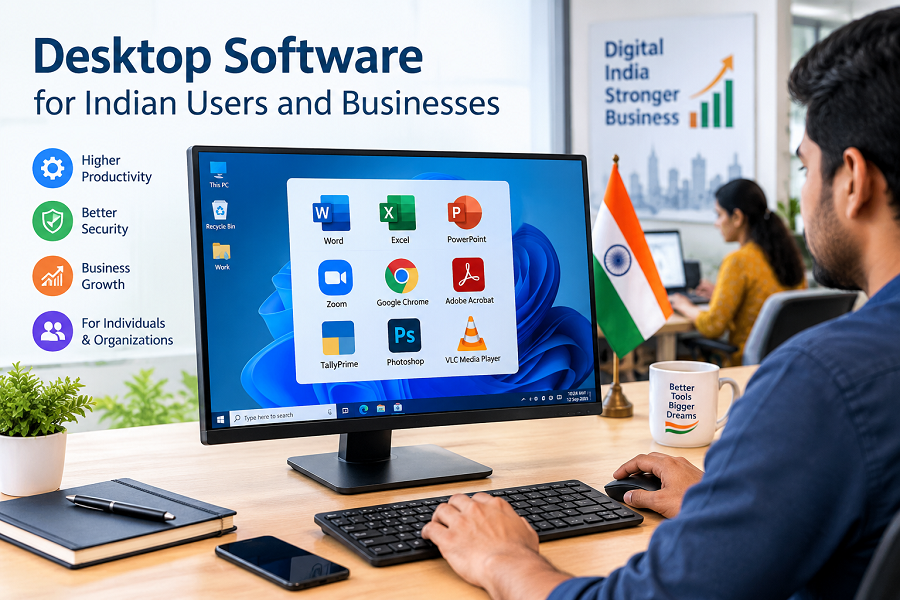
In India, desktop applications are widely used across education, business, finance, engineering, and creative industries.
Common uses include:
- Accounting management for small businesses
- Office productivity for companies
- Design tools for freelancers
- Engineering software for professionals
- Educational applications for students
As digital adoption grows, desktop software remains an important technology solution for organizations and individuals.
Key Takeaways
- Desktop software is installed directly on computers and laptops.
- It can often work without an internet connection.
- Desktop applications provide strong performance and access to hardware.
- Businesses use desktop software for productivity, accounting, design, and management.
- Choosing the right software depends on features, security, cost, and system requirements.
- Modern desktop software increasingly combines AI and cloud technology.
Frequently Asked Questions (FAQs)
What is desktop software?
Desktop software is an application installed on a computer that allows users to perform specific tasks such as document creation, editing, accounting, design, or data management.
What are examples of desktop software?
Examples include office applications, graphic design tools, accounting programs, video editing software, engineering applications, and security programs.
Is desktop software better than web applications?
It depends on user needs. Desktop software often provides better performance and offline access, while web applications offer easier access across devices.
Does desktop software require the internet?
Many desktop applications can work offline after installation, although some modern software requires internet access for updates, cloud features, or licensing.
Why do businesses still use desktop software?
Businesses use desktop software because it provides reliable performance, advanced features, better hardware access, and control over important data.
Social Media Caption
Desktop software continues to power businesses, professionals, and everyday users. From productivity tools to advanced design and engineering applications, learn how desktop applications work, their benefits, and why they remain important in today’s digital world. #DesktopSoftware #Technology #DigitalTools #SoftwareSolutions