Admin
Admin

A fast and stable internet connection is important for modern digital activities. Whether you are working from home, attending online classes, streaming movies, playing games, or managing daily tasks, internet performance affects your experience.
When your connection feels slow, the first question is usually:
“Am I getting the internet speed I am paying for?”
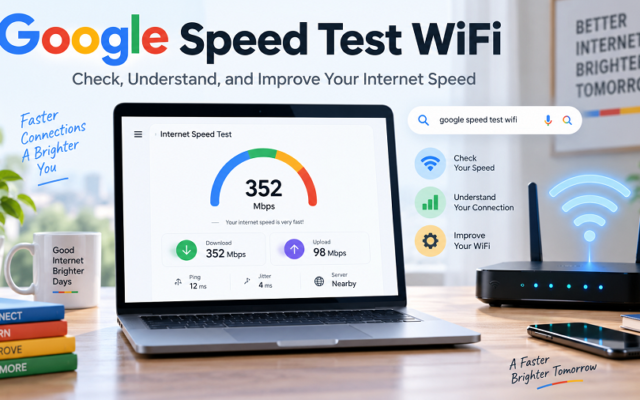
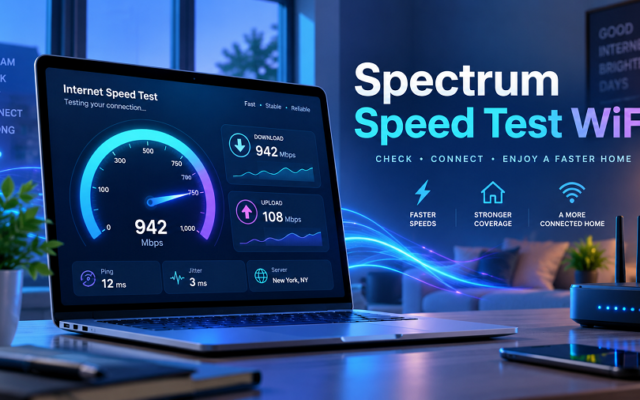
An internet speed test, Spectrum check, helps answer this question by measuring important performance factors such as download speed, upload speed, and latency.
Spectrum customers can use speed-testing tools to assess their connection quality and identify potential issues with their internet service, WiFi network, or devices.
This guide explains how Spectrum internet speed tests work, how to read the results, why speeds may vary, and what steps you can take to improve your home network performance.
What Is an Internet Speed Test Spectrum?
An internet speed test, such as the one provided by Spectrum, measures the performance of a Spectrum internet connection.
The test sends and receives data between your device and a testing server to calculate how quickly your internet connection works.
A typical speed test measures:
| Download Speed | How quickly data comes from the internet to your device |
| Upload Speed | How quickly your device sends data online |
| Ping/Latency | The delay in communication between your device and server |
| Network Stability | How consistent your connection performs |
Spectrum customers often use speed tests to check whether their actual internet performance matches their expected plan capabilities.
Why Run a Spectrum Internet Speed Test?
Internet speed can change depending on many conditions. A speed test gives you a clearer picture of your current connection.
Check Your Actual Internet Performance
Your internet provider may advertise a specific speed level, but the speed experienced on your phone, laptop, or smart TV can be different.
Testing helps you understand:
- Your real download speed
- Your upload performance
- Your WiFi quality
- Possible network limitations
For example, your home may have a high-speed internet plan, but a device located far from the router may receive much lower speeds.
Identify Slow Internet Problems
A speed test can help determine whether slow performance is caused by:
- Weak WiFi signals
- Router placement
- Too many connected devices
- Old equipment
- Network congestion
- Device limitations
Instead of guessing, you can use test results to find possible causes.
Improve Streaming and Online Activities
Internet speed affects many daily activities.
A slow connection can cause:
- Video buffering
- Poor-quality video calls
- Slow downloads
- Gaming delays
- Website loading problems
Regular testing helps you understand when your network needs attention.
How to Perform an Internet Speed Test on Spectrum
Checking your Spectrum internet speed is simple and usually takes less than a minute.
Prepare Your Connection
Before testing:
- Close unnecessary applications
- Stop downloads or uploads.
- Disconnect unused devices
- Move closer to your router if testing the WiFi.
This helps create more accurate results.
Run the Speed Test
Follow these steps: Open a web browser.
Visit a reliable internet speed testing service. Start the speed test.
Wait for the download and upload measurements to complete. Review your results.
For the most accurate measurement of your internet service, testing with an Ethernet cable is usually better than testing over WiFi.
Compare Your Results
Compare your results with:
- Your Spectrum internet plan
- Previous speed tests
- Different times of the day
A single test does not always represent your average internet performance.
Understanding Spectrum Speed Test Results
Many users see numbers after testing, but do not know what they mean.
Let’s explain the main results.
Download Speed Explained
Download speed measures how quickly information reaches your device.
It affects:
- Streaming videos
- Downloading files
- Browsing websites
- Online gaming updates
- Software installation
A higher download speed generally provides a smoother experience, especially when multiple people use the same network.
Upload Speed Explained
Upload speed measures how quickly your device sends information to the internet.
It is important for:
- Video meetings
- Uploading videos
- Sending large files
- Cloud storage
- Live streaming
Many users focus only on download speed, but upload speed is important for work and content creation.
Understanding Ping and Latency
Ping measures the response time between your device and the testing server.
Lower latency is usually better.
Low latency helps with:
- Online gaming
- Video calls
- Real-time applications
A connection can have a high download speed but still feel slow if latency is high.
Why Is My Spectrum Speed Test Lower Than Expected?
Many users expect their speed test results to exactly match their internet plan.
However, several factors can affect the final result.
WiFi Signal Strength
WiFi speed depends on:
- Distance from the router
- Walls and obstacles
- Wireless interference
- Router location
A device in another room may receive slower speeds than a device near the router.
Solution:
- Place your router in a central location.
- Avoid placing it behind furniture.
- Keep it away from electronic devices that may cause interference.
Too Many Connected Devices
Modern homes often have many connected devices:
- Smartphones
- Smart TVs
- Tablets
- Gaming consoles
- Security cameras
- Smart home devices
When multiple devices use bandwidth simultaneously, each device may receive less of the available bandwidth.
Solution:
Disconnect unused devices and manage heavy internet activities.
Device Limitations
Your internet connection may be faster than your device can handle.
Older devices may have:
- Older WiFi technology
- Slower network adapters
- Limited processing power
Testing on different devices can help identify whether the problem is your internet or your hardware.
Router or Modem Issues
Your router plays an important role in internet performance.
Problems may happen because of:
- Old equipment
- Software issues
- Incorrect placement
- Overheating
Restarting your equipment can sometimes solve temporary connection problems.
How to Get More Accurate Spectrum Speed Test Results
Follow these tips for better testing accuracy.
Use an Ethernet Connection
A wired connection removes many Wi-Fi-related limitations.
Ethernet testing is useful when you want to check the actual capability of your internet service.
Test Multiple Times
Internet performance changes throughout the day.
Try testing:
- Morning
- Afternoon
- Evening
Compare results to find patterns
Test Different Devices
Testing a laptop, smartphone, and desktop computer can show whether the issue is specific to a particular device.
Keep Your Network Quiet During Testing
Avoid:
- Streaming videos
- Large downloads
- Cloud backups
- Gaming updates
Other activities can affect results.
Spectrum Speed Test vs Other Internet Speed Tests
There are many online speed testing tools available. Each tool measures your connection differently.
| Measures download speed | Yes | Yes |
| Measures upload speed | Yes | Yes |
| Shows latency | Yes | Yes |
| Helps Spectrum customers troubleshoot | More relevant | Limited |
| Works with other providers | Limited | Usually yes |
Using a provider-related test can sometimes provide more useful information because it is designed around that provider’s network.
Common Reasons for Slow Spectrum Internet
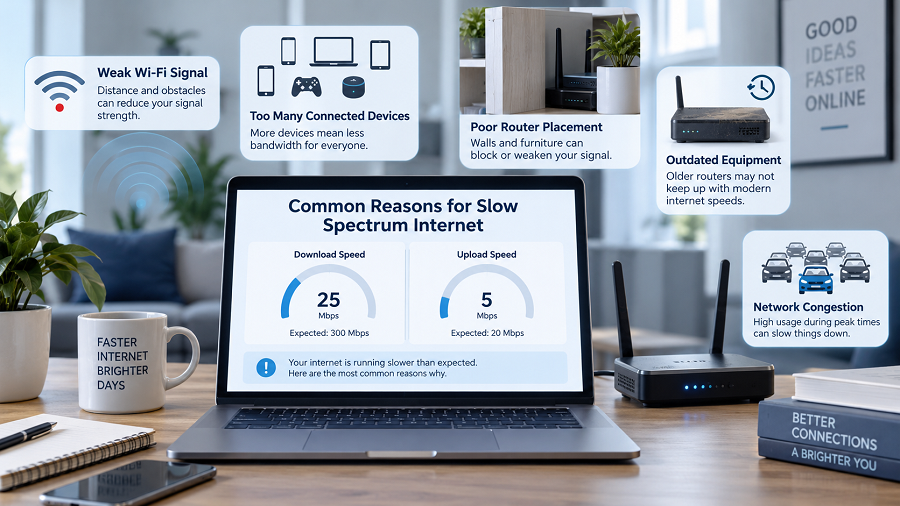
Weak WiFi Coverage
If your signal does not reach certain areas of your home, speeds may drop.
Solutions:
- Move your router
- Use WiFi extenders
- Reduce obstacles
Network Congestion
Internet usage can increase during busy hours.
Examples:
- Evening streaming
- Online gaming
- Video conferences
Testing at different times helps identify congestion patterns.
Outdated Equipment
Older routers may not support modern internet speeds.
Consider checking whether your equipment matches your internet plan requirements.
Browser or Device Issues
Sometimes, slow performance is not caused by your internet connection.
Possible causes:
- Too many browser tabs
- Background applications
- Malware
- Low device storage
How Much Internet Speed Do You Need?
The required speed depends on your household activities.
| Basic browsing | Low to moderate speed |
| Video streaming | Moderate to high speed |
| Remote work | Stable speed with good upload performance |
| Gaming | Good speed with low latency |
| Multiple users | Higher bandwidth |
A family with multiple users usually needs more bandwidth than a single user.
Internet Speed Test Spectrum for Indian Users
Although Spectrum mainly operates in the United States, many internet users worldwide search for speed testing information to understand broadband performance.
The same concepts apply to Indian broadband connections:
- Check real internet speed.
- Understand download and upload performance.
- Improve router placement
- Reduce unnecessary network usage.
- Compare the actual speed with your subscribed plan.
Whether you use fiber broadband, cable internet, or wireless internet, speed testing helps you make better decisions about your network.
Key Takeaways
- An internet speed test, the Spectrum check measures your connection performance.
- Download speed, upload speed, and latency determine internet quality.
- WiFi conditions can significantly affect speed results.
- Ethernet testing usually provides more accurate measurements.
- Multiple tests give a better understanding of your average speed.
- Router placement and device management can improve performance.
Frequently Asked Questions (FAQs)
What is an internet speed test, Spectrum?
An internet speed test, such as the one Spectrum measures, tests your internet connection performance by checking download speed, upload speed, and latency.
Why is my Spectrum speed test slower than my plan?
Your actual speed depends on WiFi strength, device capability, router performance, and network conditions.
How can I improve my Spectrum internet speed?
You can improve speed by placing your router correctly, reducing the number of connected devices, updating equipment, and testing over Ethernet.
Is a Spectrum speed test accurate?
A speed test provides a useful measurement of your connection at a specific time. Results can change depending on network conditions and device limitations.
Should I test my internet speed using WiFi or Ethernet?
Ethernet usually provides a more accurate measurement because it avoids many wireless limitations.
How often should I run an internet speed test?
Run a test whenever you notice slow performance or want to monitor your connection quality.
Conclusion
An internet speed test, or a Spectrum check, is a simple but valuable way to understand your internet performance. It helps you identify whether slow speeds are caused by your provider connection, WiFi environment, equipment, or devices.
By understanding download speed, upload speed, latency, and common troubleshooting methods, you can improve your online experience and get better performance from your internet connection.